
Rapid Prototyping
How Long Does Rapid Prototype Lead Time Take? A Complete Guide
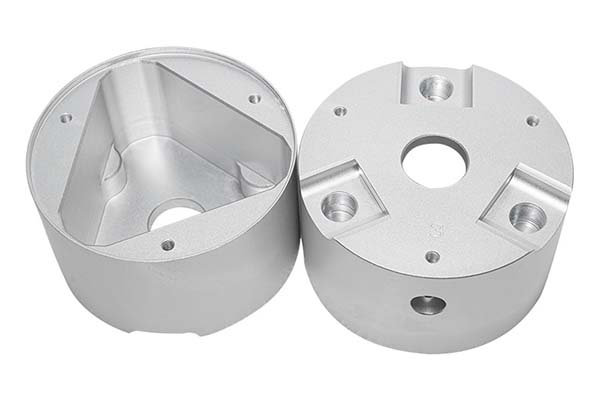
You have a product design ready. You need a physical prototype to test, show investors, or validate your idea. The question burning in your mind is simple: how long will this take? The answer is never a single number. Rapid prototype lead time depends on several factors—your design’s complexity, the material you choose, the manufacturing method, and how many samples you need.
Key takeaways
- Lead time isn’t random. Four main factors drive how long your prototype will take.
- Each prototyping method has its own timeline. The right choice depends on what you need—speed, precision, or complexity.
- Let’s put all these factors together and look at three common scenarios.
What Factors Determine Rapid Prototype Lead Time?
Lead time isn’t random. Four main factors drive how long your prototype will take. Understanding them lets you make smart trade-offs between speed, cost, and complexity.
| Factor | Impact on Lead Time | Typical Time Range |
|---|---|---|
| Design Complexity | More details mean more programming and setup time | +1 to 5 days |
| Material Choice | Harder materials cut slower than soft ones | +0.5 to 3 days |
| Manufacturing Method | Each method has different setup and run times | +1 to 4 days |
| Sample Quantity | More parts take longer to produce | +0.5 to 2 days per 5 units |
Let’s explore each factor in detail.
How Does Design Complexity Affect Lead Time?
What Makes a Design “Complex”?
Your design’s complexity is the single biggest driver of lead time. A simple part might be ready in days. A complex one can take a week or more.
Simple designs include:
- Flat parts with basic shapes
- Few features (like a handful of holes)
- No tight tolerances
- Standard dimensions
Complex designs include:
- Parts with curved or organic surfaces
- Many small features (holes under 2mm, thin slots)
- Internal channels or undercuts
- Tight tolerances (±0.05mm or less)
- Multiple surfaces that need precise alignment
Why Does Complexity Add Time?
Every feature in your design requires the machine to move, change tools, or slow down. A simple bracket with two holes might take 30 minutes to program and 15 minutes to cut. A complex medical device with dozens of tiny features might take a full day to program and several hours to cut.
For CNC machining, complex designs require:
- More toolpath calculations
- Tool changes (each tool change adds minutes)
- Slower cutting speeds to maintain accuracy
For 3D printing, complexity adds less time than machining, but very detailed parts still print slower because the machine must deposit material in thin layers and may need additional support structures.
How Can You Speed Things Up?
If you are in a hurry, consider simplifying non-critical features. Ask yourself: “Do I really need that decorative curve for this test? Can the holes be slightly larger?”
Working with your designer to strip away unnecessary complexity can cut lead time by up to 30%.
Real-world example: A client needed a prototype for a new drone arm. The design included decorative ridges along the surface that added no functional value. Removing them cut CNC programming time from 8 hours to 3 hours, shaving two days off the total lead time.
How Does Material Choice Impact Lead Time?
Why Do Different Materials Cut at Different Speeds?
Materials have different hardness levels. Soft materials cut quickly. Hard materials require slower speeds, specialized tools, and more careful handling.
Here is how common prototype materials compare:
| Material | Hardness Level | Typical Machining Speed | Lead Time Impact |
|---|---|---|---|
| PMMA (Acrylic) | Soft | Fast (50 mm/min) | Minimal (+0.5 days) |
| ABS Plastic | Medium | Moderate (35 mm/min) | Low (+1 day) |
| Aluminum (6061) | Medium-Hard | Moderate (25 mm/min) | Medium (+2 days) |
| Stainless Steel (304) | Hard | Slow (15 mm/min) | High (+3 days) |
What Does This Mean in Practice?
A stainless steel prototype will take 2 to 3 days longer than an identical prototype made from acrylic. The machine must run slower to avoid overheating tools and damaging the part. It may also require specialized coatings on cutting tools and different cooling strategies.
Can You Choose a Faster Material?
Sometimes yes. If your prototype is for visual approval only, you might not need the strength of stainless steel. Acrylic or ABS might work just fine and get you your part days sooner.
But if you need functional testing that requires the exact material properties of the final product, you may have to accept the longer lead time. Plan for it.
Real-world example: An automotive supplier needed a prototype bracket for strength testing. They initially specified stainless steel. But the test didn’t require corrosion resistance, so they switched to aluminum. Lead time dropped from 9 days to 6 days, and the prototype passed all tests.
How Does Manufacturing Method Affect Lead Time?
Each prototyping method has its own timeline. The right choice depends on what you need—speed, precision, or complexity.
Manual Prototyping
Best for: Simple visual models, foam studies, basic shape validation
Typical lead time: 1 to 3 days
Tolerance: ±0.2mm (or looser)
Manual prototyping means skilled technicians build parts by hand using tools, adhesives, and basic equipment. It is fast for very simple parts because there is no programming or machine setup. But it cannot achieve the precision of machine-made parts.
Use this method when you need a quick visual check and precision doesn’t matter.
CNC Machining
Best for: Precision parts, functional prototypes, metal components
Typical lead time: 3 to 7 days
Tolerance: ±0.05mm (or tighter)
CNC machining requires programming time—typically 1 to 2 days to convert your 3D model into toolpaths, select tools, and set up the machine. Once running, production is fast. A typical CNC prototype takes 3 to 7 days total, depending on complexity.
3D Printing
Best for: Complex geometries, rapid iterations, multiple design versions
Typical lead time: 2 to 5 days
Tolerance: ±0.1mm to ±0.2mm (varies by technology)
3D printing requires minimal setup. You upload your file, the slicing software prepares it, and printing begins. FDM (Fused Deposition Modeling) is fastest, often delivering in 2 to 3 days. SLA (Stereolithography) offers better detail but adds 1 to 2 days for printing and post-processing.
Comparison Table
| Method | Setup Time | Run Time | Total Typical Lead Time | Best Use Case |
|---|---|---|---|---|
| Manual | None | 1-2 days | 1-3 days | Visual models, simple shapes |
| 3D Printing | Hours | 1-3 days | 2-5 days | Complex geometries, multiple iterations |
| CNC Machining | 1-2 days | 1-2 days | 3-7 days | Precision parts, functional testing |
How Does Sample Quantity Add to Lead Time?
More Parts Take More Time—But Not Linearly
Rapid prototyping is designed for small batches. Most projects order between 1 and 10 samples. Here is how quantity affects timeline:
- 1 to 3 samples: Fastest option. Machines run continuously without stopping to reload material or reset. Lead time for simple designs: 3 to 5 days.
- 4 to 10 samples: Adds 1 to 2 days. You may need to reload material once, but no major setup changes.
- 11 to 20 samples: Adds another 1 to 2 days. At this point, you are moving from “prototyping” toward “small-batch production.” More quality checks are needed.
Is It Worth Ordering Multiple Samples?
Yes. Ordering 2 or 3 samples instead of just one is often smart. You can:
- Test different use cases simultaneously
- Keep one for your records while sending others for feedback
- Have spares if something goes wrong in testing
The extra time is minimal compared to the value of having multiple parts to work with.
Real-World Lead Time Examples
Let’s put all these factors together and look at three common scenarios.
Scenario 1: Simple ABS Plastic Bracket (CNC Machining)
Design: Flat bracket, 2 holes, basic shape
Material: ABS plastic
Quantity: 2 samples
Total Lead Time: 3 to 4 days
Breakdown:
- Day 1: Design review and programming
- Days 2-3: CNC machining
- Day 4: Quality control and shipping preparation
Scenario 2: Complex Stainless Steel Valve (CNC Machining)
Design: Internal channels, 5 small holes (1mm diameter), tight tolerances
Material: Stainless steel 304
Quantity: 1 sample
Total Lead Time: 7 to 9 days
Breakdown:
- Days 1-2: Detailed design review, programming, tool selection
- Days 3-7: CNC machining (slow speeds for hard material)
- Day 8: Quality control with CMM inspection
- Day 9: Final preparation and shipping
Scenario 3: Transparent PMMA Enclosure (3D Printing)
Design: Curved surfaces, snap-fit features, transparent finish
Material: PMMA (acrylic) using SLA 3D printing
Quantity: 3 samples
Total Lead Time: 4 to 6 days
Breakdown:
- Day 1: Design review and file preparation
- Days 2-4: 3D printing (including supports)
- Day 5: Post-processing (support removal, light sanding)
- Day 6: Quality check and shipping
How Can You Reduce Lead Time Without Sacrificing Quality?
Step 1: Share a Complete, Error-Free 3D Model
The most common delay in prototyping is the back-and-forth to fix design issues. A model with missing details, unclear tolerances, or impossible features will trigger questions. Each question adds hours or days.
Before submitting your design:
- Check that all dimensions are clearly defined
- Verify that wall thicknesses are machinable (generally at least 0.8mm for plastic, 0.5mm for metal)
- Include notes on critical features and tolerances
Step 2: Choose Materials Strategically
If speed matters most, pick a material that machines quickly. ABS and aluminum are good choices. Save stainless steel and titanium for when you absolutely need their properties.
Discuss material options with your prototyping partner. They can tell you which materials will meet your test requirements while minimizing lead time.
Step 3: Work with a Partner Who Offers Design Support
The best prototyping partners don’t just run machines—they help you optimize your design for manufacturing. They can spot potential issues before production starts, saving days of rework.
Look for a partner that offers:
- Design for Manufacturing (DFM) feedback
- In-house engineering support
- Clear communication throughout the process
Step 4: Plan for Post-Processing
Post-processing steps like painting, polishing, or anodizing add time—typically 1 to 3 extra days. If you need a finished surface, discuss it upfront. Sometimes a simple as-machined finish is enough for testing and saves those extra days.
How to write a spec that gets priced correctly
A drawing is a contract. If it leaves a number open, the shop fills that number in with its own default. The default is rarely the one you had in mind. Put these five lines on every RFQ and most of the back-and-forth disappears before it starts.
- A model you are willing to freeze for the build
- The question the prototype must answer
- Process and material that can answer it
- Tolerance on the features under test
- How many iterations you have budgeted
The point is not paperwork. Each line removes a decision the shop would otherwise make for you. A complete RFQ comes back priced. An incomplete one comes back guessed.
What actually drives the price
Buyers usually push on material because it is the line they can see. In practice the material is rarely the biggest number on a quote. These five lines decide most of it:
- process choice
- part size and feature count
- material
- finish and fit checks
- number of iterations
Ask for the quote split by line. A supplier who cannot break it down is guessing, and you will pay for the guess. The line you can usually renegotiate is the tolerance band, not the raw material.
Problems you will meet, and the fix
Every process has a failure mode it prefers. The same four show up again and again on this kind of work, and none of them are mysteries once you know what to look for.
- A prototype that is too good and hides a production problem
- A prototype that is too rough to test the real question
- Material chosen for speed rather than for the test
- No measurement plan, so the result is an opinion
Catch the fault on the first part, not the hundredth. A first-article check costs an hour. A bad batch costs the whole order. Write the check into the purchase order so nobody has to remember it.
What to check on the first article
The first article is the cheapest inspection you will ever buy. Use it properly and the rest of the run becomes boring, which is exactly what you want.
- Every dimension on the drawing, with the measured value written beside it.
- The material certificate, matched to the heat or lot number on the parts.
- The finish against the sample you approved, under the same light.
- Fit against the mating part, assembled rather than measured.
- Packaging, because parts that arrive damaged were never in tolerance.
Check in this order: datums, then mating features, then cosmetic faces. If the datums are wrong, every number after them is noise. Keep the report on file. When a problem shows up in month six, that document is the only thing that tells you what changed.
What About Rush Orders?
Can You Get a Prototype in Under 3 Days?
Yes, for certain projects. Some services offer “rapid rush” options that can deliver simple prototypes in 24 to 48 hours.
But rush orders come with trade-offs:
- Higher cost: Rush fees of 50% to 100% are common.
- Limited methods: Only certain processes (like basic 3D printing) can turn around that fast.
- Reduced QC: Some rush orders skip non-critical quality checks to save time.
When Does a Rush Order Make Sense?
Rush orders are worth it when:
- You have an urgent presentation or investor meeting
- You need to test a critical feature immediately
- A delay would cost you more than the rush fee
For most projects, standard lead times are sufficient—and they give you better quality and more options.
Rapid prototype lead time is not a mystery. It is the sum of clear, understandable factors: your design’s complexity, the material you choose, the manufacturing method, and the quantity you need.
- Simple designs in soft materials can be ready in 3 to 4 days.
- Complex designs in hard materials may take 7 to 10 days.
- Rush orders can deliver in 24 to 48 hours for simple parts, at a premium cost.
The key to getting your prototype faster is planning. Share complete models. Choose materials strategically. Work with a partner who offers design support. And be realistic about what your prototype needs to prove—sometimes a simpler version gets you answers faster.
By understanding the factors that drive lead time, you can make informed decisions, avoid surprises, and get your prototype in hand exactly when you need it.
How we can help
YiguProto runs rapid prototyping in house, from a single prototype to a production batch. We quote the process, the material and the finish as separate lines, so you can see where the money goes instead of arguing with one number.
Send a STEP file or a drawing and you get a DFM report in one to two business days. It flags the features that add cost and the features that will not hold tolerance on the process you picked.
Every order ships with an inspection report on the features you call out. If a part misses, we make it again. Ready to price a part? Start with a free quote and DFM review, or read more about our rapid prototyping. You can also talk to an engineer before you commit to a drawing.
Frequently asked questions
How do I compare two quotes fairly?
Match the scope first: same drawing, same material, same finish, same inspection. Then read the exclusions. Freight, tooling and certificates are the usual gaps, and a low number with three gaps is not a low number.
What should I check before approving the parts?
Datums first, then the features that mate, then the cosmetic faces. Ask for a dimensional report, a material certificate and a finish sample. A part can be inside every tolerance and still not fit, so assemble one before you sign.
What happens if a part is out of specification?
We measure it against the same drawing you approved and, if it misses, we make it again. What matters is that the report exists, because a disagreement without data is just an opinion.
What material should I specify?
Specify by standard, not by trade name. A trade name can change under you between two orders; a standard number cannot. Then add the one property that actually decides the part, whether that is strength, heat resistance or chemical exposure.
What files do you need in order to quote?
A STEP file plus a PDF drawing that carries the same revision letter. The model carries the geometry and the drawing carries the intent. When the two disagree, the shop picks one, and it is never the one you meant.
Does the process work for prototypes as well as production?
Yes, and that is usually the point. Running the prototype on the production process removes a whole class of surprises, because the part you test is made the same way as the part you sell.
The short version
Good parts reward the buyer who reads the data sheet and the drawing together. Pick the option for the property that matters, not for the price per kilo.
Tighten only what mates. Test a sample before the run. Then let the process do the rest.