
Sheet Metal
How Do You Achieve Precision in Sheet Metal Prototype Bending?
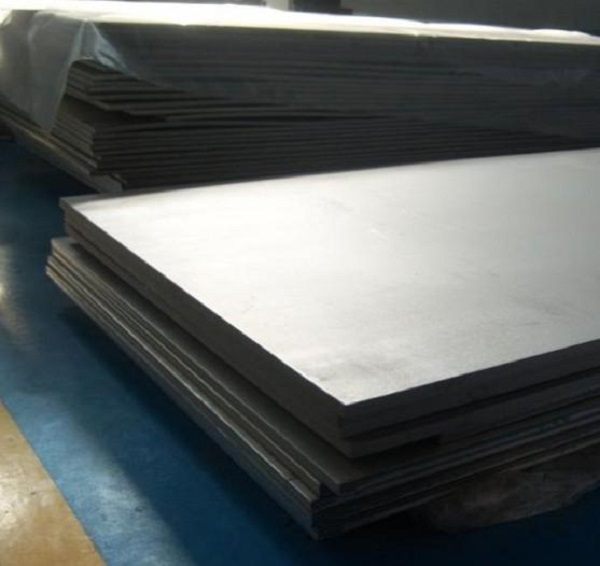
Bending sheet metal prototypes sounds straightforward. You push, it bends. But getting precise, repeatable angles that match your CAD model exactly? That’s harder than it looks. A 1° error here, a 0.5mm shift there, and your prototype doesn’t fit. Components misalign. Assembly fails. You’re back to square one.
What Preparation Ensures Bending Success?
Design clarity eliminates guesswork
Vague drawings cause problems. Operators shouldn’t interpret what you meant—they should follow what you specified.
Your design package needs:
- 2D drawings with all bend angles clearly marked
- 3D CAD models showing final geometry
- Bend locations dimensioned from edges
- Bend radius specified (minimum = material thickness)
- Tolerance requirements (standard ±0.5° or tighter?)
Real example: A client’s drawing said “bend here” with an arrow. The operator guessed 90°. The client wanted 100°. Parts scrapped. Now they provide exact angles on every drawing.
Simulation catches problems early
Bending simulation software tests your design before any metal gets cut. It reveals:
- Interferences (bends blocking subsequent bends)
- Springback predictions (how much metal will recover)
- Optimal bend sequence
Simulation benefits:
- Cuts development time by 30%
- Eliminates guesswork on bend order
- Prevents scrapped material
Real example: A medical device startup simulated a 5-bend bracket. The software showed that bending the middle section first blocked access for later bends. They reversed the sequence and got it right on the first physical part. No wasted aluminum. No delays.
Material preparation prevents defects
Raw sheet metal needs attention before bending.
Three preparation steps:
Deburr edges: Sharp burrs create uneven pressure points during bending. The sheet may shift, throwing off angles. A quick pass with a file or deburring tool eliminates this risk.
Clean surfaces: Oil, dust, or fingerprints affect how the sheet sits on the die. Clean metal positions consistently. A simple wipe with degreaser takes 30 seconds and prevents angle variation.
Inspect for defects: Check for dents, scratches, or thickness variations. A tiny dent near a bend line can cause a 0.5° error—enough to fail tight-tolerance assemblies.
What Equipment Delivers Precise Bends?
CNC press brake vs. manual methods
Manual bending tools have their place—but precision prototyping isn’t it.
| Factor | CNC Press Brake | Manual Brake |
|---|---|---|
| Angle accuracy | ±0.1° | ±2° (operator dependent) |
| Repeatability | Perfect (part 100 = part 1) | Varies with fatigue |
| Complex parts | Handles 10+ bends | Struggles beyond 2–3 |
| Setup time | 15–30 minutes | 5–10 minutes |
| Speed | 2–3 minutes per part | 10–15 minutes per part |
Real example: A shop making 50 prototype brackets switched from manual to CNC. First part took 20 minutes manually with frequent checks. CNC produced identical parts every 2.5 minutes with no measurement during the run.
How CNC press brakes work
The machine holds the sheet against programmable backgauges—precision stops that position the metal. A punch descends, pressing the sheet into a die. Computer control ensures:
- Consistent penetration depth
- Exact bend angle every cycle
- Springback compensation built in
Key capability: Modern CNC press brakes measure each bend in real time and adjust for material variations. If one sheet is slightly harder, the machine compensates automatically.
How Do You Program Complex Bend Sequences?
The inside-out rule
For parts with multiple bends, sequence matters. The general rule: bend innermost features first, then work outward.
Example: A U-shaped channel with two 90° bends:
- Wrong sequence: Bend both ends first → middle section now inaccessible
- Right sequence: Bend middle first → ends accessible for final bends
Programming steps for multi-bend parts
Step 1: Map the sequence
Draw a simple diagram numbering bends 1 through n. Start with bends closest to the center. Work outward.
Step 2: Test on scrap
Run the program on identical scrap material. Measure every bend. Adjust for springback if needed.
Step 3: Add springback compensation
Most metals spring back 1–3° after bending. Program the machine to over-bend by this amount. If you need 90° and metal springs back 2°, set the machine to 92°.
Step 4: Use fixtures for complex parts
Custom fixtures hold the partially bent part in position during subsequent bends. Fixtures reduce movement by 80%, ensuring each bend hits the exact location.
Real example: An aerospace prototype with 8 bends required ±0.2mm positional accuracy. Custom fixtures held the part during each step. Every hole lined up perfectly after all bends completed.
What Techniques Prevent Common Bending Problems?
Cracks at bend lines
Problem: Metal fractures on outside of bend radius.
Cause: Radius too small for material thickness and temper.
Fix: Increase bend radius to at least 1× thickness for aluminum, 1.5× for steel. Use softer tempers (T0 instead of T6) for tight radii.
Springback variation
Problem: Parts come out at wrong angle despite correct programming.
Cause: Material properties vary between sheets or batches.
Fix: Use air bending rather than bottoming. Air bending is less sensitive to material variations. Program CNC to measure each bend and adjust.
Part movement during bending
Problem: Sheet shifts between bends, throwing off hole locations.
Cause: Insufficient clamping or poor backgauge contact.
Fix: Ensure backgauges contact the sheet at multiple points. Use part holders or fixtures for long parts.
Wrinkling on inside radius
Problem: Compressed side of bend buckles.
Cause: Die opening too wide for material thickness.
Fix: Reduce die opening to 6–8× material thickness. Use wiper dies for very soft materials.
How Do You Inspect Bent Prototypes?
Angle verification
Tool: Digital protractor (±0.1° accuracy)
Method: Place protractor against both legs of bend. Measure at multiple points along bend length.
Acceptance: Within specified tolerance (typically ±0.5° for precision work)
Position verification
Tool: Calipers or CMM
Check: Distance from bend line to holes or edges. Bend lines may shift slightly during forming.
Acceptance: Within ±0.1mm for critical features, ±0.25mm for general dimensions
Radius verification
Tool: Radius gauges
Check: Inside radius matches specified value. Too small indicates cracking risk.
Acceptance: Within ±0.2mm of specified radius
Visual inspection
Look for:
- Cracks on outside of bend
- Wrinkles on inside of bend
- Surface marks from tooling
- Dents or distortions
Real example: A consumer electronics enclosure had invisible micro-cracks along bends after forming. Visual inspection missed them. Functional testing revealed cracks. Solution: switch to T4 temper aluminum (more ductile) and increase radius slightly.
What Post-Bending Steps Complete the Prototype?
Deburring again
Bending creates new sharp edges, especially on cut ends that were previously deburred. A quick pass with a deburring tool removes these.
Surface finishing
Bending tools may leave minor marks. Light sanding with 400-grit paper restores consistent appearance. Use a sanding block for flat areas.
Coating if needed
If your prototype needs to match final product appearance, apply appropriate coating:
- Primer + paint for painted finishes
- Clear coat for bare metal appearance
- Anti-rust spray for steel prototypes in testing
Functional testing
The ultimate inspection: does the part do what it should?
- Fit test: Assemble with mating components
- Load test: Apply expected forces
- Cycle test: Open/close if applicable
Real example: A custom hinge prototype looked perfect on the bench. Functional testing revealed binding after 100 cycles. The bend angle was 0.3° off—enough to cause wear over time. Adjusting the program fixed it.
What Tolerances Can You Expect in Precision Bending?
Standard precision
For most prototype work, these tolerances are achievable:
| Feature | Typical Tolerance |
|---|---|
| Bend angle | ±0.5° |
| Bend-to-edge distance | ±0.1mm |
| Hole position after bending | ±0.2mm |
| Flatness after bending | ±0.2mm over 300mm |
High precision
With careful setup, experienced operators, and ideal materials:
| Feature | Precision Tolerance |
|---|---|
| Bend angle | ±0.2° |
| Bend-to-edge distance | ±0.05mm |
| Hole position after bending | ±0.1mm |
| Flatness after bending | ±0.1mm over 300mm |
Factors affecting achievable tolerance
- Material consistency: Uniform thickness and temper help
- Tooling condition: Sharp, well-maintained tools
- Machine capability: Modern CNC with crowning compensation
- Operator skill: Experience with similar parts
- Part geometry: Symmetrical parts easier than asymmetrical
Precision sheet metal prototype bending transforms flat designs into functional 3D parts. Success starts with clear drawings and simulation to catch problems early. Material preparation—deburring, cleaning, inspection—eliminates surface issues. CNC press brakes deliver ±0.1° accuracy and perfect repeatability that manual methods can’t match. Program complex sequences using the inside-out rule, test on scrap, and add springback compensation. Inspect every bend for angle, position, and defects. Finish with deburring and appropriate coating. With proper technique, your bent prototypes will match your design intent exactly—and assemble correctly the first time.
How to write a spec that gets priced correctly
A drawing is a contract. If it leaves a number open, the shop fills that number in with its own default. The default is rarely the one you had in mind. Put these five lines on every RFQ and most of the back-and-forth disappears before it starts.
- Flat pattern or STEP file plus a dimensioned drawing
- Material grade and thickness with the standard number
- Bend radii, K-factor and the direction of the grain
- Finish, masking and which faces stay bare
- Quantity and the assembly sequence
The point is not paperwork. Each line removes a decision the shop would otherwise make for you. A complete RFQ comes back priced. An incomplete one comes back guessed.
What actually drives the price
Buyers usually push on material because it is the line they can see. In practice the material is rarely the biggest number on a quote. These five lines decide most of it:
- blank size and nesting efficiency
- number of bends and weld joints
- material grade and thickness
- finish and masking
- batch quantity
Ask for the quote split by line. A supplier who cannot break it down is guessing, and you will pay for the guess. The line you can usually renegotiate is the tolerance band, not the raw material.
Problems you will meet, and the fix
Every process has a failure mode it prefers. The same four show up again and again on this kind of work, and none of them are mysteries once you know what to look for.
- Stretching at a bend that is tighter than the material allows
- Hole distortion when a hole sits too close to a bend line
- Weld draw on a visible face
- Springback that pulls a formed angle out of tolerance
Catch the fault on the first part, not the hundredth. A first-article check costs an hour. A bad batch costs the whole order. Write the check into the purchase order so nobody has to remember it.
What to check on the first article
The first article is the cheapest inspection you will ever buy. Use it properly and the rest of the run becomes boring, which is exactly what you want.
- Every dimension on the drawing, with the measured value written beside it.
- The material certificate, matched to the heat or lot number on the parts.
- The finish against the sample you approved, under the same light.
- Fit against the mating part, assembled rather than measured.
- Packaging, because parts that arrive damaged were never in tolerance.
Check in this order: datums, then mating features, then cosmetic faces. If the datums are wrong, every number after them is noise. Keep the report on file. When a problem shows up in month six, that document is the only thing that tells you what changed.
How to compare two quotes fairly
Two numbers are not comparable unless the scope matches. Line them up before you decide, because a low number with three gaps is not a low number.
Same drawing, same material, same finish, same inspection. Anything else is a different job wearing the same part number. Then look at what each quote leaves out. Freight, packaging, certificates and tooling are the usual gaps.
Ask each supplier to state their assumptions in writing. The one who does is usually the one who has run the process before.
FAQ About Precision Sheet Metal Prototype Bending
My prototype bend is 1° off—can I fix it without starting over?
Yes, if the error is small. For under-bent parts (89° instead of 90°), carefully re-bend with the CNC press brake adding 0.5–1°. For over-bent parts (91°), gently tap with a rubber mallet (thin material) or use a press to slightly flatten (thicker material). Test on scrap first. If multiple bends are off, it’s often faster to restart.
What’s the minimum bend radius for 1mm aluminum 6061?
For 6061 aluminum in T6 temper (common), minimum radius is 1.5× thickness—so 1.5mm. Bending to 1mm radius risks cracking. For T4 temper (less common), 1× thickness works. If you need tight radii, consider 5052 aluminum (more formable) or specify soft temper material.
Can CNC bending handle 50 prototype parts cost-effectively?
Absolutely. CNC bending excels at low volumes (1–100 parts) because there’s no expensive tooling. Setup time (30–60 minutes) spreads across the batch. Per-part cost drops significantly after the first few. For 50 parts, CNC bending is usually the most economical precision method.
How do I prevent holes from distorting during bending?
Holes near bend lines ovalize during forming. Two solutions: locate holes at least 3× material thickness from bend lines, or add relief slots between holes and bends. If holes must be close, punch them after bending when possible.
What causes inconsistent bend angles in the same batch?
Three common culprits: material variation (different tempers or batches), worn tooling (uneven pressure), or inconsistent operator technique (part positioning). CNC minimizes operator variation. Specify consistent material and inspect tooling regularly.
Can I bend pre-finished or coated sheet metal?
Yes, with care. Protective films prevent tool marks. Use urethane tooling for delicate coatings. Increase bend radius slightly to prevent coating cracking. Test on scrap first. Many shops successfully bend pre-painted and pre-anodized materials.
How accurate is “air bending” compared to “bottoming”?
Air bending (sheet contacts only punch tip and die shoulders) is more consistent for prototypes because it’s less sensitive to material thickness variations. Accuracy: ±0.5° typical. Bottoming (sheet pressed fully into die) can achieve ±0.2° but requires exact thickness control—harder with variable prototype materials.
Our solution for Achieve Precision
YiguProto runs sheet metal fabrication in house, from a single prototype to a production batch. We quote the process, the material and the finish as separate lines, so you can see where the money goes instead of arguing with one number.
Send a STEP file or a drawing and you get a DFM report in one to two business days. It flags the features that add cost and the features that will not hold tolerance on the process you picked.
Every order ships with an inspection report on the features you call out. If a part misses, we make it again. Ready to price a part? Start with a free quote and DFM review, or read more about our sheet metal fabrication. You can also talk to an engineer before you commit to a drawing.
FAQ about Achieve Precision
What tolerance can you hold on Achieve Precision?
The working default is ±0.2 mm on formed features, ±0.1 mm on laser-cut holes. Tighter than that the process changes and so does the price, because every step tighter adds inspection time. Call out only the faces that mate with something else and leave the rest on the general tolerance.
Does the process work for prototypes as well as production?
Yes, and that is usually the point. Running the prototype on the production process removes a whole class of surprises, because the part you test is made the same way as the part you sell.
What is Achieve Precision used for?
Achieve Precision turns up wherever the part has to do a real job at a predictable cost: brackets, housings, fixtures, covers and the fittings that hold them together. The honest test is whether the properties match the load and the environment, not whether the material is fashionable.
What happens if a part is out of specification?
We measure it against the same drawing you approved and, if it misses, we make it again. What matters is that the report exists, because a disagreement without data is just an opinion.
What files do you need in order to quote?
A STEP file plus a PDF drawing that carries the same revision letter. The model carries the geometry and the drawing carries the intent. When the two disagree, the shop picks one, and it is never the one you meant.
How much does Achieve Precision cost?
Price comes from five lines: material, machine or tool time, setup, finishing and inspection. The material itself is usually the smallest of them. Send a drawing and we will split the quote so you can see which line is doing the damage.
The short version
Achieve Precision rewards the buyer who reads the data sheet and the drawing together. Pick the option for the property that matters, not for the price per kilo.
Tighten only what mates. Test a sample before the run. Then let the process do the rest.