
Rapid Prototyping
How Are Electronic Product Prototype Models Made from PC Materials?
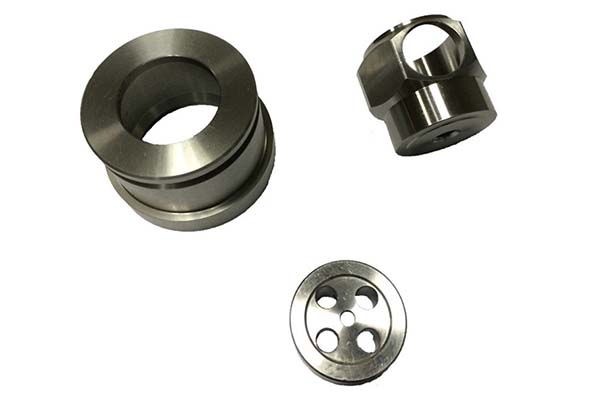
In the fast-paced electronics industry, getting a new product from design to mass production requires careful testing at every stage. PC material electronic prototypes are the backbone of this validation phase. They let you check for design flaws, test functionality under real conditions, and cut down on development time and costs before committing to expensive production tooling.
Key takeaways
- Choosing the right material is the first critical step in prototype development.
- Without accurate data, even the best materials will fail to produce useful prototypes.
- CNC machining is where the design comes to life. It delivers the precision and surface quality that electronic products demand.
- Raw machined PC parts need finishing work to look and perform like final products.
Why Is PC Plastic the Top Choice for Electronic Prototypes?
Choosing the right material is the first critical step in prototype development. PC plastic (Polycarbonate) is the top choice for electronic prototypes, and understanding why helps you make better decisions for your specific application.
Key Properties That Make PC Ideal
Impact resistance: PC can withstand 65 kJ/m² of force (tested per ASTM D256)—about 3-4 times higher than standard ABS. This means PC prototypes survive drops and impacts during testing, giving you reliable data on durability.
Transparency: With 88% light transmission, PC offers excellent clarity for displays, light guides, and indicator windows. It is not quite as clear as glass or acrylic, but it is much tougher.
Heat resistance: PC maintains its properties at continuous use temperatures up to 120°C, making it suitable for electronics that generate heat or operate in warm environments.
Processability: PC cuts, drills, and finishes beautifully on CNC machines. It produces clean edges and holds tight tolerances without cracking or melting—critical for precision electronic components.
Comparing PC with Other Prototype Materials
| Material | Main Advantages | Ideal Prototype Uses | Trade-offs |
|---|---|---|---|
| PC Plastic | High strength, transparency, heat resistance | Phone cases, laptop bezels, sensor housings, display covers | Higher cost than ABS |
| ABS | Low cost, good rigidity, easy to paint | Remote control bodies, charger casings, internal brackets | Lower impact strength, opaque |
| PMMA (Acrylic) | Superior transparency (92% light transmission) | Display covers, light guides, decorative panels | Brittle, cracks under impact |
| PU (Polyurethane) | Flexibility, shock absorption, soft-touch feel | Smartwatch straps, protective bumpers, grips | Not rigid, limited dimensional stability |
Real Case: Fitness Tracker Prototype
A wearable tech company needed a prototype for a new fitness tracker. They compared ABS and PC options:
- ABS prototype: Cost 30% less to machine, but failed drop tests—the housing cracked after 3 drops from 1 meter.
- PC prototype: Cost more, but survived 15 drops without damage. The impact resistance was critical for a device worn during active use.
They chose PC, and the prototype data gave them confidence to move forward. The extra material cost saved them from warranty claims that would have been far more expensive.
What Data Collection Ensures Prototype Accuracy?
Without accurate data, even the best materials will fail to produce useful prototypes. This step ensures your final part matches the original design exactly.
Importing and Verifying 3D Design Files
The process starts with your 3D CAD files—typically in STEP, IGES, or native CAD formats. These files are the master blueprint. The prototyping team imports them into CAM software to plan tool paths and cutting strategies.
What your files must include:
- Exact dimensions for every feature
- Tolerances for critical mating surfaces
- Hole sizes and locations with specified fits
- Wall thicknesses throughout the part
- Surface finish requirements for visible areas
Example: A tablet maker shared SolidWorks CAD files with their prototype shop. They specified that the camera cutout needed ±0.1 mm tolerance to ensure the lens would fit perfectly. The CAM software used this data to program precision tool paths that achieved ±0.05 mm—well within requirements.
Creating Gypsum Samples for Verification
Before machining expensive PC material, smart prototyping shops create gypsum samples—cheap plaster models that verify shape, curvature, and dimensions. Gypsum is easy and fast to machine, making it ideal for this “test run.”
What gypsum samples catch:
- Shape errors not visible in CAD
- Curvature inconsistencies
- Assembly interference issues
- Aesthetic problems with complex surfaces
Case study: An automotive electronics team created a gypsum sample for a new dashboard control panel. The sample revealed that a PCB mounting slot was 2 mm too narrow—a mistake that would have made the prototype unusable. Fixing the CAD file before machining PC saved 8 hours of rework and prevented scrapping expensive material.
How Does CNC Machining Shape PC Electronic Prototypes?
CNC machining is where the design comes to life. It delivers the precision and surface quality that electronic products demand.
CNC Machining Workflow for PC
Programming and setup: Engineers write G-code that guides the CNC machine through every cut. The PC plastic sheet—typically 2–10 mm thick depending on part requirements—is clamped securely. The machine then removes excess material along programmed paths.
Precision capabilities: Modern CNC machining achieves tolerances as tight as ±0.02 mm—essential for electronic components where parts must fit precisely.
Example: For a wireless earbud prototype, the CNC program was set to carve tiny speaker grilles with 0.5 mm diameter holes. This level of detail is impossible with manual methods and critical for acoustic performance. The machine held position within ±0.01 mm, ensuring all holes were perfectly round and correctly spaced.
Multi-Axis Machining for Complex Parts
For complex electronic components—like curved smartphone cases or VR headset shells—5-axis CNC machines are essential. These machines can tilt the cutting tool to reach all sides of the part in a single setup.
Advantages of 5-axis machining:
- Reduced setup time: Eliminates multiple setups, cutting production time by 30% compared to 3-axis machines
- Improved accuracy: No errors from repositioning parts
- Complex geometries: Can create undercuts and curved surfaces impossible on simpler machines
Real result: A drone company used 5-axis machining to make PC propeller guards. Production time dropped from 8 hours to 3 hours per set, and the curved surfaces were perfectly smooth—improving aerodynamics for flight testing.
What Post-Processing Steps Perfect PC Prototypes?
Raw machined PC parts need finishing work to look and perform like final products.
Essential Post-Processing Techniques
Deburring: Machining leaves tiny tool marks and sharp edges. Technicians use 800–1200 grit sandpaper or specialized tools to smooth every surface. This is especially important for parts like USB ports—rough edges could damage cables during testing or scratch users’ devices.
Surface treatment options:
- Painting: Adds color and protects the surface. A smart speaker prototype received matte black paint to match the final product’s aesthetic. The painted surface also resisted fingerprints during user testing.
- Screen printing: Adds labels, logos, or button icons directly onto the PC surface. A headphone brand screen-printed “Power” and “Volume” labels on their PC prototype—the ink survived 500+ rub tests with cleaning solutions.
- Electroplating: A thin chrome or nickel layer can be added for scratch resistance or conductivity. A remote control prototype received a chrome finish that boosted scratch resistance and gave it a premium look for market testing.
How Do You Test PC Electronic Prototypes?
No prototype is ready until it passes thorough assembly and functional tests.
Test Assembly Inspection
All parts—PC housing, circuit boards, displays, buttons—are assembled together. Engineers check:
- Fit: Do all parts align correctly? A laptop prototype team found that the PC keyboard tray didn’t align with the body—a 0.3 mm shift that would have made typing uncomfortable. They adjusted the CNC program to fix it before production.
- Clearance: Is there enough space for components and cables?
- Fastener engagement: Do screws, clips, or other fasteners work correctly?
Functional Testing
Tests simulate real-world use to verify performance:
- Structural stability: Drop tests from 1.5 meters onto concrete. A good PC prototype survives 10+ drops without cracking.
- Mechanical performance: For moving parts like laptop hinges or folding mechanisms, cycle tests of 1,000+ openings verify no wear or loosening.
- Environmental simulation: Exposure to 60°C and 90% humidity for 48 hours checks for deformation, warping, or material degradation.
Case study: A PC battery case prototype underwent environmental testing at elevated temperatures. After 48 hours at 60°C, the case showed no warping and all internal components still fit perfectly—validating the design for use in warm environments.
How Are PC Prototypes Packaged and Shipped?
Safe delivery ensures your prototype arrives in perfect condition, ready for testing or presentation.
Packaging Best Practices
Protective materials: Prototypes are wrapped in bubble wrap and placed in custom foam inserts that prevent movement during shipping. For sensitive electronic components, anti-static packaging prevents electrostatic damage.
Documentation: Include a packing list identifying all parts and any special handling instructions. For complex assemblies, include assembly notes or photographs.
Delivery Timeline
Most PC electronic prototypes ship within 3–7 business days of completing testing:
- Simple parts (like small sensor housings): 3 days
- Complex parts (like curved VR shells): 5–7 days
- Urgent projects (like trade show demos): Expedited service can deliver in 1–2 days
Example: An IoT company needed a PC sensor prototype for their CES booth. They used expedited service—the prototype was designed, machined, finished, and shipped in 2 days, arriving just in time for the show.
How to write a spec that gets priced correctly
A drawing is a contract. If it leaves a number open, the shop fills that number in with its own default. The default is rarely the one you had in mind. Put these five lines on every RFQ and most of the back-and-forth disappears before it starts.
- A model you are willing to freeze for the build
- The question the prototype must answer
- Process and material that can answer it
- Tolerance on the features under test
- How many iterations you have budgeted
The point is not paperwork. Each line removes a decision the shop would otherwise make for you. A complete RFQ comes back priced. An incomplete one comes back guessed.
What actually drives the price
Buyers usually push on material because it is the line they can see. In practice the material is rarely the biggest number on a quote. These five lines decide most of it:
- process choice
- part size and feature count
- material
- finish and fit checks
- number of iterations
Ask for the quote split by line. A supplier who cannot break it down is guessing, and you will pay for the guess. The line you can usually renegotiate is the tolerance band, not the raw material.
Problems you will meet, and the fix
Every process has a failure mode it prefers. The same four show up again and again on this kind of work, and none of them are mysteries once you know what to look for.
- A prototype that is too good and hides a production problem
- A prototype that is too rough to test the real question
- Material chosen for speed rather than for the test
- No measurement plan, so the result is an opinion
Catch the fault on the first part, not the hundredth. A first-article check costs an hour. A bad batch costs the whole order. Write the check into the purchase order so nobody has to remember it.
What to check on the first article
The first article is the cheapest inspection you will ever buy. Use it properly and the rest of the run becomes boring, which is exactly what you want.
- Every dimension on the drawing, with the measured value written beside it.
- The material certificate, matched to the heat or lot number on the parts.
- The finish against the sample you approved, under the same light.
- Fit against the mating part, assembled rather than measured.
- Packaging, because parts that arrive damaged were never in tolerance.
Check in this order: datums, then mating features, then cosmetic faces. If the datums are wrong, every number after them is noise. Keep the report on file. When a problem shows up in month six, that document is the only thing that tells you what changed.
How to compare two quotes fairly
Two numbers are not comparable unless the scope matches. Line them up before you decide, because a low number with three gaps is not a low number.
Same drawing, same material, same finish, same inspection. Anything else is a different job wearing the same part number. Then look at what each quote leaves out. Freight, packaging, certificates and tooling are the usual gaps.
Ask each supplier to state their assumptions in writing. The one who does is usually the one who has run the process before.
What Real Problems Does PC Prototyping Solve?
Here are three cases showing how proper PC prototyping prevented major issues.
Case 1: The Phone Case That Blocked the Camera
A smartphone accessory company designed a new protective case. Their first PC prototype looked perfect, but when assembled with a test phone, the camera cutout was 0.3 mm too small—it blocked part of the lens. The error was invisible in CAD but obvious in the physical prototype. They adjusted the design, machined a new prototype, and verified the fix. Catching this early saved $15,000 in production mold modifications.
Case 2: The Smart Speaker That Rattled
A consumer electronics company tested a PC prototype for a new smart speaker. During acoustic testing, they noticed a rattle at certain frequencies. Investigation traced the issue to a slightly loose internal bracket mount. They added 0.2 mm of material to the mounting boss in the CAD model, machined a new prototype, and the rattle disappeared. Fixing this before production prevented thousands of customer complaints.
Case 3: The Wearable That Overheated
A fitness tracker company tested a PC prototype in warm conditions—35°C ambient temperature. The device overheated, with internal temperatures reaching 55°C—above safe limits for skin contact. Analysis showed the PC housing trapped too much heat. They added ventilation slots to the design, machined a new prototype, and retested. Internal temperatures dropped to 42°C, within safe limits. The design change cost nothing in production but prevented a safety recall.
The process of creating electronic product prototype models from PC materials transforms digital designs into physical devices you can test, validate, and refine. Starting with careful material selection—PC for its unique combination of impact resistance, clarity, and heat tolerance—and progressing through precise CNC machining, thorough post-processing, and rigorous testing, each step builds confidence that your final product will perform as intended. Real cases show that companies investing time in proper PC prototyping avoid expensive field failures, accelerate development, and create electronics that meet demanding real-world requirements.
Our solution for Electronic Product Prototype Models
YiguProto runs rapid prototyping in house, from a single prototype to a production batch. We quote the process, the material and the finish as separate lines, so you can see where the money goes instead of arguing with one number.
Send a STEP file or a drawing and you get a DFM report in one to two business days. It flags the features that add cost and the features that will not hold tolerance on the process you picked.
Every order ships with an inspection report on the features you call out. If a part misses, we make it again. Ready to price a part? Start with a free quote and DFM review, or read more about our rapid prototyping. You can also talk to an engineer before you commit to a drawing.
FAQ about Electronic Product Prototype Models
Is there a minimum order quantity?
No hard minimum. One part is fine. What changes with volume is which costs dominate, so a single unit is priced mostly on setup and a thousand units are priced mostly on cycle time and material.
How long does a first article take?
Usually a few business days once the drawing is frozen, and longer if tooling is involved. The date we give you is the date we confirm in writing, not the date we hope for.
What happens if a part is out of specification?
We measure it against the same drawing you approved and, if it misses, we make it again. What matters is that the report exists, because a disagreement without data is just an opinion.
What is the lead time for Electronic Product Prototype Models?
Expect 3 to 7 business days for a first article. Tooling, material stock and the finishing queue all move that number, so we confirm the date in writing before the run starts rather than after.
What files do you need in order to quote?
A STEP file plus a PDF drawing that carries the same revision letter. The model carries the geometry and the drawing carries the intent. When the two disagree, the shop picks one, and it is never the one you meant.
What material should I specify?
Specify by standard, not by trade name. A trade name can change under you between two orders; a standard number cannot. Then add the one property that actually decides the part, whether that is strength, heat resistance or chemical exposure.
The short version
Electronic Product Prototype Models rewards the buyer who reads the data sheet and the drawing together. Pick the option for the property that matters, not for the price per kilo.
Tighten only what mates. Test a sample before the run. Then let the process do the rest.