
Rapid Prototyping
What Should You Watch Out for in Prototype Machining? Key Tips for Success
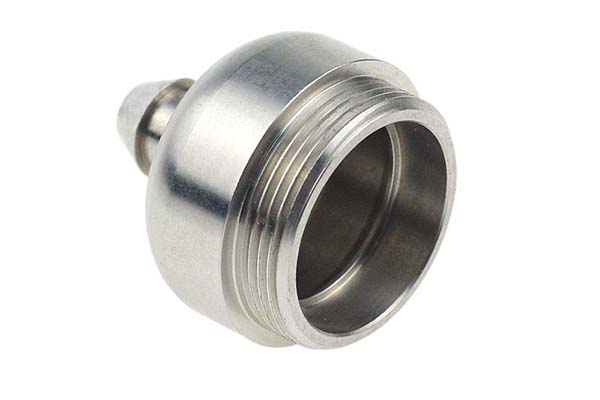
Getting a prototype machined is one of those moments where everything feels both exciting and nerve-wracking at the same time. You’ve spent weeks or months on your design, and now you’re about to see if it actually works in the real world. But here’s the thing I’ve learned after years in product development: prototype machining is where good designs succeed and rushed ones fail.
Key takeaways
- Material selection isn’t just about picking something that looks right. It’s about matching material properties to what your prototype needs to do.
- Skipping design review is like driving blindfolded. You might get where you’re going, but probably not.
- Precision costs money. The tighter your tolerances, the more expensive your prototype. The trick is specifying only what you actually need.
- Surface treatments do two things: they make parts look better and perform better.
How Do You Choose the Right Materials for Your Prototype?
Material selection isn’t just about picking something that looks right. It’s about matching material properties to what your prototype needs to do.
What Materials Work Best for Different Prototype Needs?
Different goals need different materials. Here’s what typically works:
For high precision and good surface quality, ABS and PMMA (acrylic) are solid choices. ABS offers good impact resistance and machines easily. PMMA gives you excellent transparency and surface gloss—perfect for display prototypes or parts where you need to see inside.
When you need to simulate final product properties, use the same materials your production parts will use. This matters for functional testing. An automotive part destined for injection-molded ABS should be machined from ABS, not something else. You need to validate strength, heat resistance, and how it behaves under real conditions.
For low-cost and fast production, PLA or lower-grade ABS work well. PLA is environmentally friendly and cheap. These won’t give you production-representative properties, but they’re great for early design verification when you just need to check basic fit and form.
| Prototype Requirement | Suitable Materials | Why Choose Them |
|---|---|---|
| High precision, good surface finish | ABS, PMMA (acrylic) | ABS machines well, impact-resistant; PMMA offers clarity, gloss |
| Simulate final product properties | Same materials as production | Tests real strength, heat resistance, behavior |
| Low cost, fast turnaround | PLA, lower-grade ABS | PLA is cheap, eco-friendly; fine for basic checks |
What Hidden Factors Matter in Material Choice?
Beyond obvious properties, consider machinability. Some materials cut like butter. Others fight your tools. Aluminum is a dream to machine. Stainless steel? Bring sharp tools and patience.
Cost matters too. A prototype doesn’t need aerospace-grade materials if commodity plastics will answer your questions. But don’t go too cheap if you need meaningful test data. Balance what you need to learn against what you want to spend.
I once watched a team waste three weeks machining parts from expensive PEEK when standard ABS would have told them everything they needed. They learned a lesson about matching materials to actual requirements.
Why Is Design Review Critical Before Machining Starts?
Skipping design review is like driving blindfolded. You might get where you’re going, but probably not.
What Should You Check in Your Design Review?
Start with dimensions. Verify every measurement in your design file. Check lengths, widths, heights, hole positions. Make sure nothing conflicts. Even small errors here become real problems in metal or plastic.
Look at accessory interfaces. Will your shell actually fit around those internal components? Do the connection points between parts align? These questions are easier to answer on screen than after machining.
For prototypes with moving parts—hinges, sliders, rotating mechanisms—simulate the motion digitally if you can. Check that movement paths are clear. Verify that nothing binds or interferes. The cost of finding a clearance issue digitally is zero. Finding it in machined parts means starting over.
Review your markings too. Dimension marks, material notes, assembly instructions—make sure everything is complete and clear. Ambiguous drawings get interpreted, and interpretations vary.
What Happens When You Skip Design Review?
I’ve seen it happen. A designer rushes a file to the machine shop, only to discover mid-machining that a critical hole intersects with a rib. The part gets scrapped. Time and money disappear.
A thorough design review catches these issues when they’re still free to fix. Take the time. Your future self will thank you.
How Do You Set Realistic Precision Requirements?
Precision costs money. The tighter your tolerances, the more expensive your prototype. The trick is specifying only what you actually need.
What Precision Indicators Actually Matter?
Dimensional tolerance defines how much actual size can vary from design size. A part designed at 50mm with ±0.1mm tolerance can be anywhere from 49.9mm to 50.1mm.
For precision parts like gears or bearing fits, you might need ±0.01mm or tighter. For general structural parts, ±0.1mm or ±0.2mm is often fine. Match your tolerance to function. Don’t specify ±0.01mm just because it sounds impressive.
Geometric tolerance controls shape and position. Flatness, straightness, roundness—these matter for parts that mate with others. A precision platform might need flatness within 0.005mm per meter. Perpendicular surfaces might require 0.01mm accuracy.
How Do You Avoid Over-Specifying Tolerances?
Ask yourself: what does this feature actually do? If it’s just for show, loose tolerances work fine. If it carries load or aligns with other parts, tighten up.
Every 0.01mm of extra precision adds machining time and cost. Be realistic about what your prototype needs to demonstrate. A visual model doesn’t need bearing-grade tolerances. A functional test of moving parts probably does.
What Surface Treatment Options Improve Your Prototype?
Surface treatments do two things: they make parts look better and perform better. The right finish can transform a rough machined part into something that feels production-ready.
What Are Common Surface Treatment Methods?
Grinding and polishing remove tool marks and create smooth surfaces. This works for most materials—metal, plastic, wood. After polishing, surface roughness can drop to Ra 0.8μm or lower. That’s smooth enough for many applications.
Spraying applies paint, powder, or coating for color and protection. Automotive prototypes often use spraying to match production colors exactly. It’s also great for corrosion resistance.
Electroplating adds a metal layer—chrome, nickel, copper—to improve wear resistance, conductivity, or appearance. Common on hardware, connectors, and decorative parts.
Anodizing is specific to aluminum. It creates a dense oxide film that resists corrosion and takes dyes well. You can get black, silver, red—almost any color. Plus, it’s durable.
How Do You Choose the Right Finish?
Match your finish to your prototype’s purpose. A functional internal part might need no finish at all. A customer-facing prototype probably needs the full treatment—polishing, painting, maybe graphics.
Consider production plans too. If your final product will be anodized, anodize your prototype. You want to validate how the finish looks and performs before committing to production tooling.
Which Manufacturing Process Should You Choose?
Different processes serve different needs. Pick wrong and you’ll overpay, wait too long, or get poor quality.
How Do CNC Machining, 3D Printing, and Silicone Molding Compare?
CNC machining uses computer-controlled tools to cut parts from solid material. It delivers high precision—down to ±0.005mm—and works with almost any material. The downside? Complex parts take time, and small batches cost more per part. Perfect for precision metal prototypes or anything needing tight tolerances.
3D printing builds parts layer by layer. It’s fast—hours to days—and handles incredibly complex geometries. Cost per part stays low for small quantities. But precision is lower (typically ±0.1mm), material options are limited, and surface quality needs work afterward. Ideal for early design verification or complex shapes that CNC can’t do.
Silicone molding creates multiple copies from a master pattern. It’s great for small batches—10 to 50 pieces—at reasonable cost. The mold takes 3-7 days to make, then you can produce parts quickly. Works well for plastic and rubber prototypes when you need more than one or two.
| Process | Advantages | Limitations | Best For |
|---|---|---|---|
| CNC Machining | ±0.005mm precision, any material, good finish | Slow for complex parts, higher small-batch cost | Precision metal, tight tolerances, functional parts |
| 3D Printing | Fast (hours-days), complex geometries, low small-batch cost | ±0.1mm precision, limited materials, rough finish | Early design checks, complex shapes, one-offs |
| Silicone Molding | Multiple copies, good replication, reasonable cost | 3-7 day mold making, 10-50 part mold life | Small batches, plastic/rubber parts |
How Do You Match Process to Need?
Think about what matters most. Speed? Go 3D printing. Precision? CNC wins. Multiple copies? Silicone molding makes sense.
I once needed five identical housings for a user test. 3D printing each one would have taken days and cost more. Silicone molding gave me five identical parts in less time for less money. Match the process to your actual requirements.
How Do You Ensure Proper Assembly and Testing?
A pile of perfectly machined parts isn’t a prototype until they’re assembled and tested.
What Assembly Issues Should You Watch For?
Assembly convenience matters more than you might think. Can someone actually get parts together in the right order? If assembly requires magic fingers or specialized tools, your design needs work.
Check fit precision during assembly. How much play exists between shaft and hole? Is it too loose? Too tight? These feel different in your hands than they look on screen.
Choose fasteners wisely. Screws, nuts, bolts—they need sufficient strength for your application. A prototype that falls apart during testing teaches you nothing.
What Functional Testing Actually Tells You Something?
Performance testing validates that your prototype meets specifications. How much load can it carry? Does it survive high temperatures? Measure against requirements, not hopes.
For parts with operating functions—buttons, switches, knobs—test them repeatedly. Do they feel right? Respond consistently? User experience lives in these details.
Compatibility testing matters when your prototype interacts with other systems. Does it connect properly? Communicate correctly? Share power or data as designed?
What Quality Control Measures Prevent Problems?
Quality isn’t a final inspection step. It’s built through checks at every stage.
What Should You Check Before Machining Starts?
Verify raw material quality. Is it the right grade? Free from defects? Material problems guarantee part problems.
Confirm your design files and process plans are correct and complete. This is your last chance to catch errors before they become expensive.
What In-Process Checks Catch Issues Early?
During machining, check dimensions, shapes, and surface quality at key points. Are critical features on track? Surface finish meeting requirements?
Monitor machining parameters—speeds, feeds, depths. Consistent parameters mean consistent results.
What Does Final Inspection Include?
After machining, do a comprehensive check. Verify all dimensions against drawings. Measure geometric tolerances if they matter. Inspect surface treatments and assembly quality.
For precision prototypes, use professional equipment like coordinate measuring machines (CMMs) and surface roughness testers. Numbers don’t lie.
Why Does Communication Matter Throughout the Process?
Prototype machining works best as collaboration, not a transaction.
What Should You Discuss With Your Machining Partner?
Talk about material selection early. They might know why your choice is problematic or suggest better options.
Ensure they understand your design intent. Sometimes what’s obvious to you isn’t obvious to someone else. Walk through critical features together.
Discuss process selection and surface treatment plans. Their experience might reveal better approaches.
If assembly problems arise during their work, you want to hear about them immediately, not when parts arrive.
How Do You Establish Good Feedback Loops?
Set up regular check-ins—weekly calls, progress emails, whatever works. Know where things stand before problems escalate.
When issues come up, respond quickly. Delayed decisions delay delivery.
Create an environment where your machining partner feels comfortable raising concerns. The problems they spot early are the ones that get fixed cheaply.
How Do You Protect Intellectual Property During Machining?
If your prototype involves proprietary technology, protect it.
What Should a Confidentiality Agreement Cover?
Define confidential information clearly. Design files, technical data, process parameters, even the prototype itself—spell it out.
Set a reasonable confidentiality period. At minimum, it should last until your product launches publicly.
Include breach consequences. Economic damages, legal remedies—make sure there’s real deterrent against disclosure.
What Else Protects Your IP?
Choose machining partners with reputations for discretion. Ask about their confidentiality practices. How do they handle sensitive projects internally?
Consider file security too. Are your design files stored securely? Who has access? Where do they go after machining?
How to write a spec that gets priced correctly
A drawing is a contract. If it leaves a number open, the shop fills that number in with its own default. The default is rarely the one you had in mind. Put these five lines on every RFQ and most of the back-and-forth disappears before it starts.
- A model you are willing to freeze for the build
- The question the prototype must answer
- Process and material that can answer it
- Tolerance on the features under test
- How many iterations you have budgeted
The point is not paperwork. Each line removes a decision the shop would otherwise make for you. A complete RFQ comes back priced. An incomplete one comes back guessed.
What actually drives the price
Buyers usually push on material because it is the line they can see. In practice the material is rarely the biggest number on a quote. These five lines decide most of it:
- process choice
- part size and feature count
- material
- finish and fit checks
- number of iterations
Ask for the quote split by line. A supplier who cannot break it down is guessing, and you will pay for the guess. The line you can usually renegotiate is the tolerance band, not the raw material.
Problems you will meet, and the fix
Every process has a failure mode it prefers. The same four show up again and again on this kind of work, and none of them are mysteries once you know what to look for.
- A prototype that is too good and hides a production problem
- A prototype that is too rough to test the real question
- Material chosen for speed rather than for the test
- No measurement plan, so the result is an opinion
Catch the fault on the first part, not the hundredth. A first-article check costs an hour. A bad batch costs the whole order. Write the check into the purchase order so nobody has to remember it.
How Do You Ensure On-Time Delivery?
Late prototypes delay everything that follows—testing, refinement, production, launch.
What Helps Guarantee Timely Delivery?
Choose experienced partners with proven track records. Past performance predicts future results.
Establish progress tracking. Regular updates reveal delays before they become critical. Know what’s happening in the shop.
Include penalty clauses in contracts if timing is absolutely critical. Late fees create motivation. But remember—penalties don’t help if you needed parts yesterday.
Build buffer time into your schedule. Machines break. Materials run late. People get sick. A week of buffer turns emergencies into minor adjustments.
Our solution for Watch Out
YiguProto runs rapid prototyping in house, from a single prototype to a production batch. We quote the process, the material and the finish as separate lines, so you can see where the money goes instead of arguing with one number.
Send a STEP file or a drawing and you get a DFM report in one to two business days. It flags the features that add cost and the features that will not hold tolerance on the process you picked.
Every order ships with an inspection report on the features you call out. If a part misses, we make it again. Ready to price a part? Start with a free quote and DFM review, or read more about our rapid prototyping. You can also talk to an engineer before you commit to a drawing.
FAQ about Watch Out
Is there a minimum order quantity?
No hard minimum. One part is fine. What changes with volume is which costs dominate, so a single unit is priced mostly on setup and a thousand units are priced mostly on cycle time and material.
What happens if a part is out of specification?
We measure it against the same drawing you approved and, if it misses, we make it again. What matters is that the report exists, because a disagreement without data is just an opinion.
How much does Watch Out cost?
Price comes from five lines: material, machine or tool time, setup, finishing and inspection. The material itself is usually the smallest of them. Send a drawing and we will split the quote so you can see which line is doing the damage.
Does the process work for prototypes as well as production?
Yes, and that is usually the point. Running the prototype on the production process removes a whole class of surprises, because the part you test is made the same way as the part you sell.
How do I compare two quotes fairly?
Match the scope first: same drawing, same material, same finish, same inspection. Then read the exclusions. Freight, tooling and certificates are the usual gaps, and a low number with three gaps is not a low number.
What files do you need in order to quote?
A STEP file plus a PDF drawing that carries the same revision letter. The model carries the geometry and the drawing carries the intent. When the two disagree, the shop picks one, and it is never the one you meant.
The short version
Watch Out rewards the buyer who reads the data sheet and the drawing together. Pick the option for the property that matters, not for the price per kilo.
Tighten only what mates. Test a sample before the run. Then let the process do the rest.