
Rapid Prototyping
Technology Prototyping: A Practical Guide to Steps, Tools, and Success
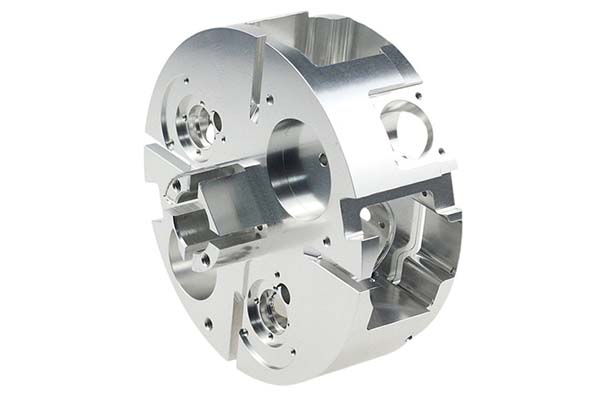
You have a great idea for a new app or a smart device. But how do you know if it will actually work? How can you be sure users will understand it? This is where technology prototyping comes in. It’s the process of building a simple, early model of your product to test your ideas before you spend a lot of time and money on full development. Think of it like a sketch for a painting or a rough draft for a book.
Key takeaways
- It’s easy to confuse a prototype with other similar terms. Being clear saves time and confusion later.
- Skipping the prototype phase is a common mistake. It often leads to budget problems, missed deadlines, and even product failure.
- Follow this structured roadmap to move from a fuzzy idea to a prototype that gives you real insights.
- Technology prototyping is the essential bridge between a great idea and a successful product.
What Is Technology Prototyping (And What Is It Not)?
It’s easy to confuse a prototype with other similar terms. Being clear saves time and confusion later.
| Feature | Prototype | Proof of Concept (PoC) | Minimum Viable Product (MVP) |
|---|---|---|---|
| Primary Goal | Test the user experience and check the design. | Test if a specific technology can actually work. | Test if there’s a market for the product and learn from real users. |
| Audience | Designers, potential users, and stakeholders. | The internal technical team and engineers. | Early adopters and first customers. |
| Detail Level | Can be low or high. Often not fully functional. | Usually very low, focuses on one technical problem. | High. It’s a working, polished, and reliable product. |
Real example: Imagine you want to build a new app that helps people find local dog walkers.
- A proof of concept might be a small piece of code that proves you can accurately track a dog walker’s location using GPS. It’s ugly and has no interface.
- A prototype might be a set of clickable screens in a design tool that lets a user test the process of finding a walker and booking them. It looks like the real thing but doesn’t work in the background.
- The MVP would be the first live version of the app. It has a basic design, real profiles, and working payments, but maybe only for one city.
Why Is Prototyping So Important?
Skipping the prototype phase is a common mistake. It often leads to budget problems, missed deadlines, and even product failure. The small investment in prototyping pays for itself many times over.
- Test ideas and reduce risk: Prototyping lets you “fail fast and fail cheap.” It’s much better to find a serious design flaw in a one-day prototype than after six months of engineering work.
- Get stakeholder support: A clickable, interactive prototype is far more convincing than a slide deck. Investors and executives can see and feel your vision, making them more likely to say “yes.”
- Improve user experience (UX): Watching a real person try to use your prototype shows you exactly where they get confused. This user feedback is gold for building a product people will love.
- Reduce expensive changes: Fixing a problem in the design phase costs almost nothing. Fixing the same problem after writing the code can be up to 100 times more expensive, according to research from IBM.
Real example: A team we know spent months building a complex feature for a project management app. They were so excited about it. When they finally tested it with users, no one understood how to use it. They had to scrap most of the work. A simple paper prototype test, done in a single afternoon, would have shown them the idea was confusing and saved them months of wasted effort.
What Are the Key Steps in the Prototyping Process?
Follow this structured roadmap to move from a fuzzy idea to a prototype that gives you real insights.
Step 1: Define Your Problem
Before you think about solutions, you must understand the problem deeply.
- State the user problem: Write it down in one clear sentence. For example: “Busy parents struggle to find quick and healthy meal ideas that their picky children will actually eat.”
- Set clear prototype goals: What specific questions do you need this prototype to answer? Make your goals SMART (Specific, Measurable, Achievable, Relevant, Time-bound). A good goal is: “Test if a user can find a recipe using three common ingredients they have at home in under two minutes.”
Step 2: Brainstorm and Prioritize Ideas
This is the creative phase. Think of as many solutions as possible. Use techniques like mind-mapping or sketching.
But you can’t prototype everything. You must prioritize. A simple method called MoSCoW helps:
- M – Must-have: Core features. Without them, the prototype fails. For a recipe app, this might be “search by ingredient.”
- S – Should-have: Important but not critical. Like “save favorite recipes.”
- C – Could-have: Nice-to-haves. Like “share recipe on social media.”
- W – Won’t-have: Clearly out of scope for now. Like “integrate with grocery delivery services.”
Focus your first prototype on the Must-haves.
Step 3: Choose Your Detail Level
How detailed should your prototype be? It depends on your goal and stage.
- Low-detail (Lo-Fi) prototypes: These are quick and simple. Think sketches on paper, whiteboard drawings, or basic digital wireframes with no color. When to use: Early stages. Perfect for testing the basic flow and structure. Benefit: They are fast and cheap. People give better feedback on sketches because they don’t get distracted by colors and are not afraid to suggest big changes.
- High-detail (Hi-Fi) prototypes: These are polished and interactive. They look and feel very close to the final product, with realistic colors, fonts, and animations. When to use: Later stages. Ideal for detailed usability testing and showing to investors. Benefit: They give a realistic sense of the final product and help test visual appeal.
Step 4: Build the Prototype
This is where you create it. Use the right tool for your chosen detail level (see the Tools section below).
The key rule here is speed over perfection. Your goal is to learn, not to create a flawless masterpiece. Build just enough to answer your key questions.
Real example: We once spent a week making a login screen look absolutely perfect in a high-fidelity tool. Then we showed the whole prototype to a user for the first time. They were confused within 30 seconds—not by the login screen, but by the main purpose of the app. We had wasted a week polishing something before validating the core idea. Now, we always test the basic concept with rough sketches first.
Step 5: Test, Gather Feedback, and Iterate
A prototype that isn’t tested is just a pretty picture. This step is where you actually learn.
- Who to test with: Find people who are like your real target users. Avoid friends and family—they will be too nice and give you useless, polite feedback. You need honest strangers.
- How to test: Give them a specific task. “Try to book a dog walker for this Tuesday at 3 PM.” Then, be quiet and watch. Do not help them. Ask them to think out loud: “What are you thinking right now?” Ask open-ended questions after: “What did you expect to happen when you clicked that button?”
- Iterate: Prototyping is a cycle. Take the feedback, find the patterns, and improve your design. Then, build a new version and test again. Each cycle makes your product better.
What Tools Can You Use for Prototyping?
The right tool makes the job faster and easier.
Lo-Fi Wireframing Tools
These are for quick, simple layouts.
- Balsamiq: It makes things look like hand-drawn sketches on purpose. This is great because it keeps the focus on the structure and flow, not on colors and fonts.
- Whimsical: A flexible online tool for wireframes, flowcharts, and mind maps. It’s great for early brainstorming with a team.
Hi-Fi UI/UX Prototyping Tools
These are the industry standards for creating realistic, interactive prototypes.
| Tool | Best For |
|---|---|
| Figma | Real-time team collaboration. It works in a web browser, so anyone can access it. Very popular. |
| Adobe XD | Users of other Adobe products like Photoshop and Illustrator. It integrates seamlessly with them. |
| Sketch | Mac users who want a powerful, mature tool with a huge library of plugins. (Mac only). |
Hardware Prototyping Platforms
For building smart devices or Internet of Things (IoT) products.
- Arduino: A simple, easy-to-use board for controlling electronics like sensors, lights, and motors. Perfect for a prototype that needs to react to the physical world, like a light that turns on when someone walks by.
- Raspberry Pi: A tiny, full-fledged computer. It runs an operating system, so it’s better for complex projects like a smart display that shows the weather or a home automation hub.
No-Code/Low-Code Platforms
These let you build functional apps without writing much code.
- Bubble: A powerful tool for building complex web applications with databases and user accounts.
- Adalo / Glide: Great for making mobile app prototypes that can actually run on a phone. You can often build an app from a simple spreadsheet.
How to write a spec that gets priced correctly
A drawing is a contract. If it leaves a number open, the shop fills that number in with its own default. The default is rarely the one you had in mind. Put these five lines on every RFQ and most of the back-and-forth disappears before it starts.
- A model you are willing to freeze for the build
- The question the prototype must answer
- Process and material that can answer it
- Tolerance on the features under test
- How many iterations you have budgeted
The point is not paperwork. Each line removes a decision the shop would otherwise make for you. A complete RFQ comes back priced. An incomplete one comes back guessed.
What actually drives the price
Buyers usually push on material because it is the line they can see. In practice the material is rarely the biggest number on a quote. These five lines decide most of it:
- process choice
- part size and feature count
- material
- finish and fit checks
- number of iterations
Ask for the quote split by line. A supplier who cannot break it down is guessing, and you will pay for the guess. The line you can usually renegotiate is the tolerance band, not the raw material.
Problems you will meet, and the fix
Every process has a failure mode it prefers. The same four show up again and again on this kind of work, and none of them are mysteries once you know what to look for.
- A prototype that is too good and hides a production problem
- A prototype that is too rough to test the real question
- Material chosen for speed rather than for the test
- No measurement plan, so the result is an opinion
Catch the fault on the first part, not the hundredth. A first-article check costs an hour. A bad batch costs the whole order. Write the check into the purchase order so nobody has to remember it.
What to check on the first article
The first article is the cheapest inspection you will ever buy. Use it properly and the rest of the run becomes boring, which is exactly what you want.
- Every dimension on the drawing, with the measured value written beside it.
- The material certificate, matched to the heat or lot number on the parts.
- The finish against the sample you approved, under the same light.
- Fit against the mating part, assembled rather than measured.
- Packaging, because parts that arrive damaged were never in tolerance.
Check in this order: datums, then mating features, then cosmetic faces. If the datums are wrong, every number after them is noise. Keep the report on file. When a problem shows up in month six, that document is the only thing that tells you what changed.
How to compare two quotes fairly
Two numbers are not comparable unless the scope matches. Line them up before you decide, because a low number with three gaps is not a low number.
Same drawing, same material, same finish, same inspection. Anything else is a different job wearing the same part number. Then look at what each quote leaves out. Freight, packaging, certificates and tooling are the usual gaps.
Ask each supplier to state their assumptions in writing. The one who does is usually the one who has run the process before.
Scaling from one part to a batch
The first part teaches you the process. The hundredth teaches you the process cost.
Watch three things as volume grows: setup amortisation, tool wear, and how much hand work the finish still needs. If the unit price barely moves between ten and a hundred, the cost sits in material or in hand work, not in setup. Ask which, because only one of them is negotiable.
Lead time behaves the same way. A one-off is scheduled around other jobs. A repeat order is scheduled around your forecast. Give the shop a forecast and the lead time gets shorter, not longer.
What Are Common Prototyping Challenges and How Do You Solve Them?
Even experienced teams run into these problems.
- Challenge: Perfectionism paralysis. You spend weeks making the prototype look perfect without ever testing the core idea. Solution: Set a strict time limit. Say, “We will have a paper prototype done by 5 PM today.” Remember, “done is better than perfect.”
- Challenge: Falling in love with your first idea. You defend your idea against all criticism. Solution: Adopt a scientific mindset. Your prototype is a hypothesis. Your job is to try to disprove it. Welcome harsh feedback as a gift that saves you from building the wrong thing.
- Challenge: Testing with the wrong audience. Your friends all say it’s great, but they are being polite. Solution: Be ruthless about finding your real target users. Post in online communities where they hang out. Offer a small reward for 15 minutes of their time.
- Challenge: Stakeholders think the prototype is nearly finished. They see a polished, clickable prototype and ask, “Can we launch this next week?” Solution: Manage expectations from the start. Begin every demo by saying clearly: “This is an interactive mockup. It is designed to test the user flow. It is not a working application and has no real code behind it.”
Technology prototyping is the essential bridge between a great idea and a successful product. It’s a low-cost way to test your assumptions, get valuable user feedback, and save your team from building the wrong thing. The process is clear: define the problem, brainstorm solutions, choose the right level of detail, build a simple model, and then test it with real users. Use the lessons learned to make it better, and test again. By embracing this cycle of building, testing, and learning, you dramatically increase your chances of creating a product that people truly need and love.
Our solution for Technology Prototyping
YiguProto runs rapid prototyping in house, from a single prototype to a production batch. We quote the process, the material and the finish as separate lines, so you can see where the money goes instead of arguing with one number.
Send a STEP file or a drawing and you get a DFM report in one to two business days. It flags the features that add cost and the features that will not hold tolerance on the process you picked.
Every order ships with an inspection report on the features you call out. If a part misses, we make it again. Ready to price a part? Start with a free quote and DFM review, or read more about our rapid prototyping. You can also talk to an engineer before you commit to a drawing.
FAQ about Technology Prototyping
What is Technology Prototyping used for?
Technology Prototyping turns up wherever the part has to do a real job at a predictable cost: brackets, housings, fixtures, covers and the fittings that hold them together. The honest test is whether the properties match the load and the environment, not whether the material is fashionable.
Can Technology Prototyping be made in small quantities?
Yes, and small quantities are where a good supplier earns the next order. Setup dominates the price at low volume, so the cheapest route is usually the one with the fewest operations, not the cheapest material.
How much does Technology Prototyping cost?
Price comes from five lines: material, machine or tool time, setup, finishing and inspection. The material itself is usually the smallest of them. Send a drawing and we will split the quote so you can see which line is doing the damage.
How do I compare two quotes fairly?
Match the scope first: same drawing, same material, same finish, same inspection. Then read the exclusions. Freight, tooling and certificates are the usual gaps, and a low number with three gaps is not a low number.
What should I check before approving the parts?
Datums first, then the features that mate, then the cosmetic faces. Ask for a dimensional report, a material certificate and a finish sample. A part can be inside every tolerance and still not fit, so assemble one before you sign.
What files do you need in order to quote?
A STEP file plus a PDF drawing that carries the same revision letter. The model carries the geometry and the drawing carries the intent. When the two disagree, the shop picks one, and it is never the one you meant.
The short version
Technology Prototyping rewards the buyer who reads the data sheet and the drawing together. Pick the option for the property that matters, not for the price per kilo.
Tighten only what mates. Test a sample before the run. Then let the process do the rest.