
Surface Treatment
What Is Prototype Printing and How to Choose the Right Method?
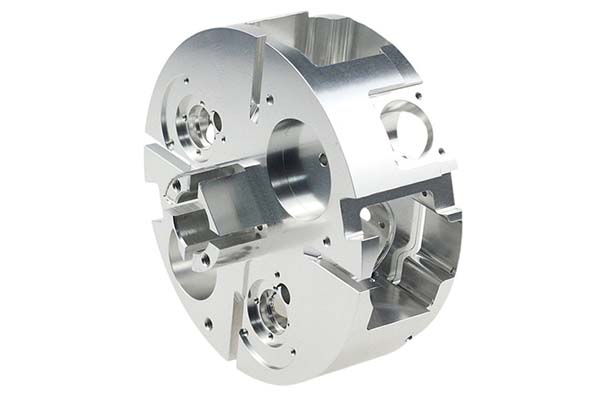
Bringing a new product to life is exciting. You have your prototype in hand, whether it was made by 3D printing, CNC machining, or silicone molding. But it often looks plain. It might be a single color, lacking the logos, symbols, or instructions that make a product feel real. This is where prototype printing comes in. It is the process of adding patterns, text, or colors to a prototype’s surface.
Key takeaways
- Several techniques exist for printing on prototypes. Each works on different principles and offers unique advantages.
- Selecting the best method is a critical decision. It is not about which method is “best” overall, but which is best for your specific prototype.
- Once you have chosen a method, following a structured workflow ensures consistent, high-quality results.
- Even with a good workflow, problems can arise. Here are some common pitfalls and how to avoid them.
What Are the Common Prototype Printing Methods?
Several techniques exist for printing on prototypes. Each works on different principles and offers unique advantages. The right choice depends on your material, design complexity, and budget. The table below compares the most common methods to help you get started.
| Printing Method | Core Principle | Key Advantages | Best Suited For | Example Use |
|---|---|---|---|---|
| Screen Printing | Ink is pushed through a mesh screen onto the part. | High precision for simple shapes, vibrant colors, cost-effective for medium batches (10+ units). | Simple, two-dimensional designs like logos, text, and solid color blocks. | Printing a company logo and battery symbols on a flat plastic enclosure. |
| Inkjet Printing | Tiny droplets of ink are sprayed directly onto the surface. | No setup costs, ideal for small batches, handles complex, multi-color images and gradients. | Prototypes with photographic images, gradient colors, or detailed graphics on flat surfaces. | Printing a full-color product label for a consumer goods prototype. |
| Laser Engraving | A laser beam removes a thin layer of material to create a mark. | Extremely durable and permanent, ultra-high precision, works on metal, plastic, and wood. | Functional marks like serial numbers, barcodes, and permanent brand logos. | Engraving a unique serial number and logo onto a machined aluminum part. |
| Pad Printing | Ink is picked up by a silicone pad and transferred to the part. | Excellent for printing on irregular, curved, or textured surfaces. | Printing on complex 3D shapes, like buttons, spheres, or concave surfaces. | Adding an “On/Off” symbol to a rubber button on a prototype remote. |
| UV Printing | UV-curable ink is printed and instantly hardened by ultraviolet light. | Produces photo-quality, durable prints that are scratch-resistant and vibrant. | High-quality, detailed graphics on rigid materials where durability is key. | Printing a high-resolution control panel graphic onto a flat plastic prototype. |
| Sticker/Film Application | A pre-printed adhesive film is manually applied to the part. | Simplest and fastest method, very low cost, easily removable and replaceable. | Quick design iterations, temporary labels, or low-fidelity aesthetic checks. | Applying a “Prototype – Not for Sale” sticker during internal testing. |
How to Choose the Right Prototype Printing Method?
Selecting the best method is a critical decision. It is not about which method is “best” overall, but which is best for your specific prototype. Ask yourself these three questions to guide your choice.
What Is Your Prototype Made Of?
The prototype material is the most important factor. A method that works beautifully on plastic may fail on metal.
- For Plastics (like ABS, PLA, Nylon): Screen printing, pad printing, and UV printing are excellent choices. They use inks that adhere well to polymers. Laser engraving also works on many plastics, creating a contrasting mark.
- For Metals (like Aluminum, Steel): Laser engraving is the top choice for permanent, wear-resistant marks. For adding color, you need specially formulated solvent-based or epoxy inks used in pad printing or applied by hand, as standard inkjet inks will not stick.
- For Wood: Both laser engraving (for a burned-in look) and screen printing with appropriate inks work well. Wood’s porous surface may require a primer first.
How Complex Is Your Design?
The level of detail in your artwork will narrow down your options.
- Simple Designs: If you need solid lines, text, or a single-color logo, screen printing is efficient and cost-effective for batches.
- Complex, Multi-Color Designs: For designs with photographs, gradients, or many colors, you need a method that mixes ink digitally. Inkjet printing and UV printing are perfect for these “full-color” jobs.
- Fine Details and Small Text: Laser engraving and UV printing offer the highest resolution, capable of producing crisp details and tiny, readable text.
How Many Prototypes Do You Need?
Your production volume directly impacts cost and turnaround time.
- One or Two Pieces: For a single prototype, avoid methods that require tooling. Inkjet printing or using a sticker is fast and inexpensive. Laser engraving is also good for single pieces.
- Small to Medium Batches (5-50 pieces): Screen printing becomes very efficient. While there is an initial cost to create the screen, the per-part printing time is very fast. Pad printing is also good for batches of shaped parts.
- Large Batches (50+ pieces): Screen printing and pad printing are the workhorses for larger quantities due to their speed and consistency once set up.
What Is the Step-by-Step Prototype Printing Workflow?
Once you have chosen a method, following a structured workflow ensures consistent, high-quality results. Here is a five-step process that applies to most techniques.
Step 1: Prepare Your Artwork
Start with a clean, high-resolution digital file.
- Use vector-based software like Adobe Illustrator for logos, text, and line art. This ensures your design stays sharp at any size.
- Use raster-based software like Photoshop for complex images and photographs. Ensure the resolution is at least 300 DPI at the final print size to avoid pixelation.
- Define colors precisely using standard systems like Pantone Matching System (PMS) codes. This guarantees color accuracy, especially if you print in multiple batches.
Step 2: Prepare the Prototype Surface
Surface preparation is often the difference between a print that lasts and one that peels off.
- Clean the surface thoroughly. Use isopropyl alcohol and a lint-free cloth to remove all oils, dust, and fingerprints.
- Smooth the surface if needed. 3D-printed parts often have visible layer lines. Sanding these smooth with fine-grit sandpaper (like 400 to 600 grit) creates a better base for printing.
- Apply a primer (optional). For porous materials like wood or SLS nylon, a primer seals the surface and helps the ink bond. For dark-colored prototypes, a white primer can make your colors appear brighter.
Step 3: Set Up Your Equipment
Get your tools ready based on your chosen method.
- For screen printing: This involves coating a mesh screen with emulsion and burning your design onto it with light. This process takes several hours.
- For pad printing: You need to create a metal cliché (plate) with your design etched into it and set up the ink cup.
- For digital methods (Inkjet/UV/Laser): Calibrate the printer or laser. Run a test print on a scrap piece of the same material to check colors, focus, and power settings.
Step 4: Perform the Printing
Execute the print with care.
- Secure the prototype. Use a simple jig or fixture to hold the part perfectly still. This is critical for multi-color prints where alignment is key.
- Apply the ink or laser. Follow the specific parameters for your method. For screen printing, use a squeegee at a consistent angle and pressure. For laser engraving, let the machine do its work, monitoring for any signs of burning or melting on plastics.
- Allow for flash curing (if needed). Some methods, like pad printing with certain inks, may require brief heat exposure between colors to set the ink.
Step 5: Post-Treatment and Quality Check
The job isn’t done when the ink is down.
- Cure the print. Many inks require a final cure, often in an oven at a specific temperature (e.g., 60-80°C for 30 minutes), to achieve full hardness and adhesion.
- Apply a protective coating (optional). For prototypes that will be handled often, a clear varnish or overlaminate can protect the print from scratches.
- Inspect the final part. Check the print under good light. Is the color correct? Are the edges sharp? Is the text legible? Perform a simple tape test: apply a piece of adhesive tape and pull it off gently. If any ink comes with it, the adhesion is poor.
What Are the Critical Precautions in Prototype Printing?
Even with a good workflow, problems can arise. Here are some common pitfalls and how to avoid them.
- Ink Not Sticking: This is the most common failure. It is almost always due to poor surface cleaning or material incompatibility. Solution: Clean aggressively with alcohol and always test your ink on a sample of the actual material first.
- Colors Looking Wrong: Monitor colors can be deceiving. What looks bright on screen may be dull in ink. Solution: Use Pantone color references for mixing inks and always run a physical color test before printing the final parts.
- Smudging or Blurring: This often happens if the part moves during printing, or if the ink isn’t cured fast enough. Solution: Use a sturdy fixture to hold parts. For methods like pad printing, ensure the part is clean and dry, as moisture can repel ink.
- Design Misalignment: When printing a logo that needs to fit perfectly around a button or hole, even a 1mm shift is noticeable. Solution: Design your fixture to register the part in the exact same spot every time. Use alignment marks in your artwork.
How to write a spec that gets priced correctly
A drawing is a contract. If it leaves a number open, the shop fills that number in with its own default. The default is rarely the one you had in mind. Put these five lines on every RFQ and most of the back-and-forth disappears before it starts.
- The finish by its standard, not by a colour name
- Which faces are cosmetic and which are functional
- Masking: threads, bores, electrical contacts
- Colour target and the light it will be judged under
- Any salt spray or adhesion test required
The point is not paperwork. Each line removes a decision the shop would otherwise make for you. A complete RFQ comes back priced. An incomplete one comes back guessed.
What actually drives the price
Buyers usually push on material because it is the line they can see. In practice the material is rarely the biggest number on a quote. These five lines decide most of it:
- finish type and specification
- surface area
- masking complexity
- colour matching
- rework risk
Ask for the quote split by line. A supplier who cannot break it down is guessing, and you will pay for the guess. The line you can usually renegotiate is the tolerance band, not the raw material.
Problems you will meet, and the fix
Every process has a failure mode it prefers. The same four show up again and again on this kind of work, and none of them are mysteries once you know what to look for.
- Colour drift between two anodising lots
- Threads that no longer gauge after plating
- Poor adhesion on a surface that was not prepped
- Orange peel on a coat that was sprayed too dry
Catch the fault on the first part, not the hundredth. A first-article check costs an hour. A bad batch costs the whole order. Write the check into the purchase order so nobody has to remember it.
What to check on the first article
The first article is the cheapest inspection you will ever buy. Use it properly and the rest of the run becomes boring, which is exactly what you want.
- Every dimension on the drawing, with the measured value written beside it.
- The material certificate, matched to the heat or lot number on the parts.
- The finish against the sample you approved, under the same light.
- Fit against the mating part, assembled rather than measured.
- Packaging, because parts that arrive damaged were never in tolerance.
Check in this order: datums, then mating features, then cosmetic faces. If the datums are wrong, every number after them is noise. Keep the report on file. When a problem shows up in month six, that document is the only thing that tells you what changed.
How to compare two quotes fairly
Two numbers are not comparable unless the scope matches. Line them up before you decide, because a low number with three gaps is not a low number.
Same drawing, same material, same finish, same inspection. Anything else is a different job wearing the same part number. Then look at what each quote leaves out. Freight, packaging, certificates and tooling are the usual gaps.
Ask each supplier to state their assumptions in writing. The one who does is usually the one who has run the process before.
Scaling from one part to a batch
The first part teaches you the process. The hundredth teaches you the process cost.
Watch three things as volume grows: setup amortisation, tool wear, and how much hand work the finish still needs. If the unit price barely moves between ten and a hundred, the cost sits in material or in hand work, not in setup. Ask which, because only one of them is negotiable.
Lead time behaves the same way. A one-off is scheduled around other jobs. A repeat order is scheduled around your forecast. Give the shop a forecast and the lead time gets shorter, not longer.
FAQ: Prototype Printing
Can I print a full-color photograph on a 3D-printed plastic prototype?
Yes, you can. The best methods for this are inkjet printing or UV printing. They can handle the complex color blends of a photograph. Make sure your prototype surface is smooth and, if possible, light-colored for the best results. You may need to sand the part first to reduce layer lines.
How durable is screen printing on a prototype that will be handled frequently?
Screen printing can be quite durable, especially when using solvent-based or UV-curable inks. To maximize durability, ensure the ink is fully cured according to the manufacturer’s instructions. You can also add a protective clear coat over the print to shield it from scratches and wear.
What is the fastest way to add a simple logo to a single prototype?
For a single piece, the fastest methods are typically using a sticker or inkjet printing on adhesive-backed film and then applying it. If you need a more integrated look and have access to the equipment, laser engraving is also very fast for simple line-art logos.
Our solution for Prototype Printing
YiguProto runs surface finishing in house, from a single prototype to a production batch. We quote the process, the material and the finish as separate lines, so you can see where the money goes instead of arguing with one number.
Send a STEP file or a drawing and you get a DFM report in one to two business days. It flags the features that add cost and the features that will not hold tolerance on the process you picked.
Every order ships with an inspection report on the features you call out. If a part misses, we make it again. Ready to price a part? Start with a free quote and DFM review, or read more about our surface finishing. You can also talk to an engineer before you commit to a drawing.
FAQ about Prototype Printing
What should I check before approving the parts?
Datums first, then the features that mate, then the cosmetic faces. Ask for a dimensional report, a material certificate and a finish sample. A part can be inside every tolerance and still not fit, so assemble one before you sign.
Is there a minimum order quantity?
No hard minimum. One part is fine. What changes with volume is which costs dominate, so a single unit is priced mostly on setup and a thousand units are priced mostly on cycle time and material.
Can Prototype Printing be made in small quantities?
Yes, and small quantities are where a good supplier earns the next order. Setup dominates the price at low volume, so the cheapest route is usually the one with the fewest operations, not the cheapest material.
What files do you need in order to quote?
A STEP file plus a PDF drawing that carries the same revision letter. The model carries the geometry and the drawing carries the intent. When the two disagree, the shop picks one, and it is never the one you meant.
What is the lead time for Prototype Printing?
Expect 3 to 10 business days after parts arrive. Tooling, material stock and the finishing queue all move that number, so we confirm the date in writing before the run starts rather than after.
What happens if a part is out of specification?
We measure it against the same drawing you approved and, if it misses, we make it again. What matters is that the report exists, because a disagreement without data is just an opinion.
The short version
Prototype Printing rewards the buyer who reads the data sheet and the drawing together. Pick the option for the property that matters, not for the price per kilo.
Tighten only what mates. Test a sample before the run. Then let the process do the rest.