
Rapid Prototyping
What Is the Step-by-Step Process of TV Prototype Production?
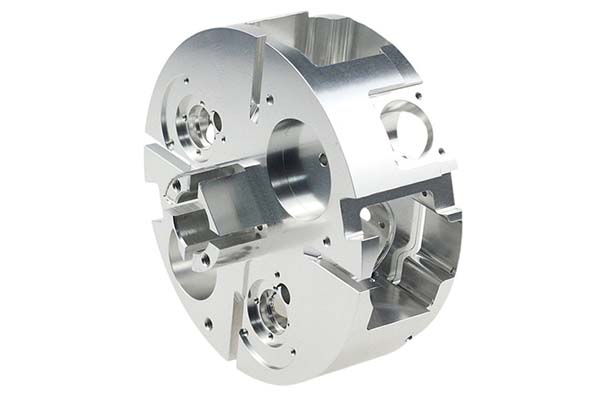
Creating a prototype for a modern television is a complex task. It’s not just about making a box that looks like a TV. A TV prototype must validate the sleek design, the internal structure that holds everything together, and the function of ports and interfaces. Getting it right before mass production saves millions in tooling costs and prevents a product failure in the market.
Key takeaways
- Before you design or cut any material, you need a clear target. TV prototypes usually focus on four areas.
- This stage creates the digital blueprint. Attention to detail here prevents problems later.
- You have three main options. The right one depends on your goal, budget, and timeline.
- Putting all the pieces together and testing them is where you find real problems.
What Core Requirements Must You Define Before Starting?
Before you design or cut any material, you need a clear target. TV prototypes usually focus on four areas.
| Requirement Category | What You Need to Validate | Real-World Example |
|---|---|---|
| Appearance Verification | Screen ratio (like 16:9 or 21:9), bezel width (e.g., a very thin 3mm), the material feel (metal vs. plastic), and logo placement. | A brand testing a 21:9 screen with a 3mm bezel to make sure it looks “ultra-slim” as promised in marketing. |
| Structural Validation | The stability of the stand, the layout of cooling holes, and if there’s enough space inside for the motherboard and power supply. | Testing if the stand can hold the full weight of a 55-inch OLED TV (about 15kg) without tipping over. |
| Functional Validation | How buttons feel, if ports like HDMI and USB work correctly, and if the screen fits the frame without gaps. | Plugging a game console into an HDMI 2.1 port to confirm it can handle 4K video at 120Hz. |
| Process Validation | If the chosen surface treatments, like painting or electroplating, work well on the materials. | Testing a shiny, electroplated finish on a metal frame to ensure the color is even and won’t peel. |
How Do You Design the TV in 3D?
This stage creates the digital blueprint. Attention to detail here prevents problems later.
What Are the Key Rules for 3D Modeling a TV?
- Dimensional accuracy: All critical dimensions must be exact. The position of an HDMI port might need to be within ±0.1mm of the design. If a 55-inch TV prototype has a bezel that’s just 0.2mm wider than designed, it can look “chunky” and ruin the aesthetic.
- Thin-wall treatment: TV frames and back covers are often thin, maybe just 1-3mm. If you’re 3D printing these, you must add support structures to prevent warping. A 2mm thick back cover printed without supports could warp by over 1mm, making it impossible to attach to the frame.
- Curved screen simulation: For a curved TV, you must model the exact curve, like a radius of R5000mm. You can use a clear material like acrylic or transparent resin in the prototype to simulate the glass and check for light reflection issues.
How Should You Split the TV into Parts?
You don’t model a TV as one solid piece. You split it into separate components for easier production.
- Main components: These include the screen frame, back cover, stand, interface panel (where the ports go), and internal metal brackets.
- Splitting principles: Separate parts that will use different materials, like a metal frame and a plastic back cover. Leave a tiny 0.1-0.2mm gap in the model between parts that will be assembled, like the frame and back cover. This prevents them from being too tight. For large parts, like a 65-inch back cover, you may need to split it into smaller sections if your 3D printer isn’t big enough to print it as one piece.
What Fabrication Method Should You Choose?
You have three main options. The right one depends on your goal, budget, and timeline.
| Method | Best For | Key Advantages | Disadvantages |
|---|---|---|---|
| 3D Printing | Checking the look of a part, small items like button panels, or early structural tests. | Fast (12-24 hours), low cost for one piece, great for complex shapes. | Mostly limited to plastic or resin. Not for large metal parts like a heavy base. |
| CNC Machining | Making precise metal parts, like an aluminum alloy frame, or testing screw holes. | Ultra-high precision (±0.05mm), real metal feel, very strong. | Slower (3-5 days), and more expensive for single parts. |
| Replica Molding | Making a small batch (10-50 units) for exhibitions or market testing. | Low cost per unit once the mold is made, fast to produce copies. | You need to make a master mold first, which adds initial cost. Not for high-precision metal parts. |
How to choose: If you need one cheap part to check the look of a frame in 2 days, use 3D printing. If you need a strong metal base to test if it can hold weight, use CNC machining. If you need 20 identical prototypes for a trade show, use replica molding.
How Do You Assemble and Test the Prototype?
Putting all the pieces together and testing them is where you find real problems.
What Is the Correct Assembly Process?
- Clean all parts: Remove any dust, oil, or burrs. For a CNC-machined frame, you might sand it with 800-grit sandpaper.
- Follow a sequence: Attach the screen to the frame. Install the internal brackets that hold the motherboard. Then, attach the stand. This mimics how it would be done in a factory.
- Check as you go: As you assemble, ask questions. “Is there enough room for the power supply cables?” “Do the screw holes line up easily?”
What Functional Tests Must You Perform?
| Test Type | How to Do It | What Does “Pass” Mean? |
|---|---|---|
| Appearance Test | Look closely at the gap between the screen and frame. Check if the logo is straight. | No visible gaps. The gap should be less than 0.1mm. The logo is centered within ±0.5mm. |
| Structural Test | Put a weight on the stand that is 1.5 times the TV’s weight for 24 hours. Rotate a wall-mount bracket through its full motion. | The stand doesn’t bend or crack. The bracket moves smoothly and locks in place. |
| Interface Test | Plug real cables into every port: HDMI, USB, power. | Each cable fits snugly, not loose. A phone plugged into the USB port charges. Video plays through the HDMI port. |
| Screen Simulation | Turn on the screen (or a backlight) and look for light leaking around the edges. | No light leaks. The screen sits flush with the frame. |
How to write a spec that gets priced correctly
A drawing is a contract. If it leaves a number open, the shop fills that number in with its own default. The default is rarely the one you had in mind. Put these five lines on every RFQ and most of the back-and-forth disappears before it starts.
- A model you are willing to freeze for the build
- The question the prototype must answer
- Process and material that can answer it
- Tolerance on the features under test
- How many iterations you have budgeted
The point is not paperwork. Each line removes a decision the shop would otherwise make for you. A complete RFQ comes back priced. An incomplete one comes back guessed.
What actually drives the price
Buyers usually push on material because it is the line they can see. In practice the material is rarely the biggest number on a quote. These five lines decide most of it:
- process choice
- part size and feature count
- material
- finish and fit checks
- number of iterations
Ask for the quote split by line. A supplier who cannot break it down is guessing, and you will pay for the guess. The line you can usually renegotiate is the tolerance band, not the raw material.
Problems you will meet, and the fix
Every process has a failure mode it prefers. The same four show up again and again on this kind of work, and none of them are mysteries once you know what to look for.
- A prototype that is too good and hides a production problem
- A prototype that is too rough to test the real question
- Material chosen for speed rather than for the test
- No measurement plan, so the result is an opinion
Catch the fault on the first part, not the hundredth. A first-article check costs an hour. A bad batch costs the whole order. Write the check into the purchase order so nobody has to remember it.
What to check on the first article
The first article is the cheapest inspection you will ever buy. Use it properly and the rest of the run becomes boring, which is exactly what you want.
- Every dimension on the drawing, with the measured value written beside it.
- The material certificate, matched to the heat or lot number on the parts.
- The finish against the sample you approved, under the same light.
- Fit against the mating part, assembled rather than measured.
- Packaging, because parts that arrive damaged were never in tolerance.
Check in this order: datums, then mating features, then cosmetic faces. If the datums are wrong, every number after them is noise. Keep the report on file. When a problem shows up in month six, that document is the only thing that tells you what changed.
How to compare two quotes fairly
Two numbers are not comparable unless the scope matches. Line them up before you decide, because a low number with three gaps is not a low number.
Same drawing, same material, same finish, same inspection. Anything else is a different job wearing the same part number. Then look at what each quote leaves out. Freight, packaging, certificates and tooling are the usual gaps.
Ask each supplier to state their assumptions in writing. The one who does is usually the one who has run the process before.
Scaling from one part to a batch
The first part teaches you the process. The hundredth teaches you the process cost.
Watch three things as volume grows: setup amortisation, tool wear, and how much hand work the finish still needs. If the unit price barely moves between ten and a hundred, the cost sits in material or in hand work, not in setup. Ask which, because only one of them is negotiable.
Lead time behaves the same way. A one-off is scheduled around other jobs. A repeat order is scheduled around your forecast. Give the shop a forecast and the lead time gets shorter, not longer.
How to read a supplier's quote
A quote is a short document with a long shadow. Four things in it decide whether the job runs smoothly, and only one of them is the price.
- The scope line. It should name the process, the material and the finish, not just the part.
- The tolerance basis. General tolerance or the drawing, and which standard it follows.
- The exclusions. Tooling, freight, certificates and inspection are the usual omissions.
- The validity date. Material prices move, and an open-ended quote is a promise nobody can keep.
Read the exclusions before you read the total. A quote that leaves out tooling is not cheaper. It is a quote for a different job.
What to send with the first order
The first order sets the pattern for every order after it. Send a complete package once and the shop files it, and the second order takes a fraction of the time.
- A STEP or native model plus a PDF drawing carrying the same revision letter.
- The material callout by standard number, not by trade name.
- The finish and the exact faces it applies to.
- Any test the part must pass: fit, seal, drop, salt spray, dielectric.
- A contact who can answer a question inside one working day.
Then write down what was agreed. An email that confirms the material, the finish and the date is worth more than a longer purchase order that leaves them open.
When this is the wrong choice
A good supplier tells you when the process does not fit. These are the cases where we say so.
- The volume is so low that setup costs more than the parts are worth.
- The tolerance is tighter than the process can hold without a second operation.
- The geometry cannot be made without a tool feature that will not pay back.
- The material you need is not available in the form the process requires.
- The schedule is shorter than the tooling or setup time, and nobody has said so yet.
None of these are refusals. They are reasons to look at a different route, and the earlier that conversation happens the cheaper it is. The most expensive mistake in manufacturing is a process chosen before the question was understood.
How Do You Refine the Prototype and Fix Common Defects?
After testing, you’ll likely have a list of small problems to fix.
What Surface Treatments Improve the Look?
- Spray painting: Adds the final color, like a matte black back cover that hides fingerprints.
- Silk screen printing: Adds labels, like “HDMI 1” or the power symbol, next to the ports.
- Electroplating: Gives a metal frame a shiny, chrome-like finish that also resists rust.
How Do You Fix Common Problems?
| Problem | What Usually Causes It | How to Fix It |
|---|---|---|
| Frame is warped | The thin plastic (1-2mm) bent during printing or machining. | Use stronger materials like aluminum alloy. For 3D printing, add more supports. For CNC, slow down the cutting speed. |
| Ports are loose | The hole in the plastic is a bit too big, maybe by 0.2mm. | Go back to the 3D model and make the hole 0.1mm smaller. Use guide pins during assembly to keep everything lined up. |
| Light leaks around the screen | There’s a small, uneven gap between the screen and the frame. | Add a thin foam gasket between the screen and frame. Tighten the mounting screws evenly, using a torque wrench to apply the same force to all. |
TV prototype production is a detailed process that bridges design and manufacturing. It starts with clearly defining what you need to learn: Is it about the look, the structure, the function, or how it’s made? You then create a precise 3D model, paying close attention to dimensions, thin walls, and how the part will be split. Choosing the right fabrication method—3D printing for speed, CNC machining for precision metal parts, or replica molding for small batches—is critical. Finally, rigorous assembly and testing, from checking port fit to measuring light leakage, reveal any flaws. By following this process, you can validate your TV design with confidence, avoiding costly mistakes when you finally go to mass production.
Our solution for Step-by-Step Process
YiguProto runs rapid prototyping in house, from a single prototype to a production batch. We quote the process, the material and the finish as separate lines, so you can see where the money goes instead of arguing with one number.
Send a STEP file or a drawing and you get a DFM report in one to two business days. It flags the features that add cost and the features that will not hold tolerance on the process you picked.
Every order ships with an inspection report on the features you call out. If a part misses, we make it again. Ready to price a part? Start with a free quote and DFM review, or read more about our rapid prototyping. You can also talk to an engineer before you commit to a drawing.
FAQ about Step-by-Step Process
Can Step-by-Step Process be made in small quantities?
Yes, and small quantities are where a good supplier earns the next order. Setup dominates the price at low volume, so the cheapest route is usually the one with the fewest operations, not the cheapest material.
What should I check before approving the parts?
Datums first, then the features that mate, then the cosmetic faces. Ask for a dimensional report, a material certificate and a finish sample. A part can be inside every tolerance and still not fit, so assemble one before you sign.
How much does Step-by-Step Process cost?
Price comes from five lines: material, machine or tool time, setup, finishing and inspection. The material itself is usually the smallest of them. Send a drawing and we will split the quote so you can see which line is doing the damage.
What is the lead time for Step-by-Step Process?
Expect 3 to 7 business days for a first article. Tooling, material stock and the finishing queue all move that number, so we confirm the date in writing before the run starts rather than after.
What is Step-by-Step Process used for?
Step-by-Step Process turns up wherever the part has to do a real job at a predictable cost: brackets, housings, fixtures, covers and the fittings that hold them together. The honest test is whether the properties match the load and the environment, not whether the material is fashionable.
Does the process work for prototypes as well as production?
Yes, and that is usually the point. Running the prototype on the production process removes a whole class of surprises, because the part you test is made the same way as the part you sell.
The short version
Step-by-Step Process rewards the buyer who reads the data sheet and the drawing together. Pick the option for the property that matters, not for the price per kilo.
Tighten only what mates. Test a sample before the run. Then let the process do the rest.