
Rapid Prototyping
Why Is Polycarbonate the Best Choice for Home Appliance Prototypes?
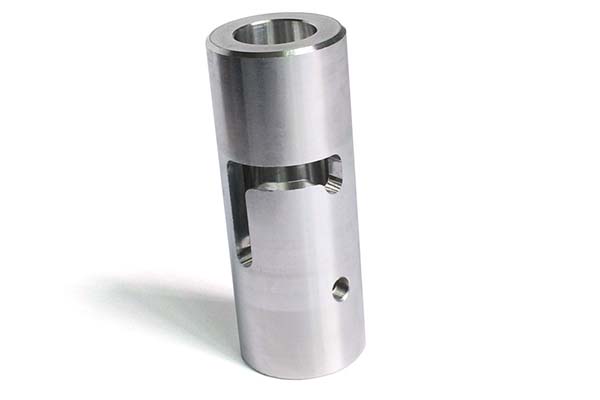
If you work with home appliance development, you already know that prototyping can make or break your product launch. Getting the prototype right means faster testing, fewer design flaws, and lower costs before mass production. Among all available materials, polycarbonate (PC) stands out as the preferred choice for home appliance prototypes. But why exactly?
What Makes Polycarbonate Ideal for Appliance Prototypes?
Understanding PC’s Core Properties
Polycarbonate isn’t just another plastic. It offers a unique combination of properties that make it perfect for simulating real-world appliance use:
| Property | Typical Value | Why It Matters for Appliances |
|---|---|---|
| Impact Resistance | 65-85 kJ/m² | Withstands drops and impacts during testing |
| Heat Deflection Temperature | 135-145°C | Safe for appliances with heating elements |
| Light Transmission | 88-90% | Great for display windows and transparent parts |
| Tensile Strength | 60-70 MPa | Holds structural integrity under stress |
| Dimensional Stability | ±0.1% | Maintains shape after machining |
These numbers aren’t just technical specs—they translate directly to real-world performance. For example, when testing a PC kettle prototype, you can fill it with boiling water without warping. When dropping a PC vacuum cleaner handle, it won’t shatter on impact.
Comparing PC with Alternative Materials
Many engineers ask whether they can substitute cheaper materials like ABS. Here’s how they actually compare:
| Material | Impact Resistance | Heat Resistance | Cost per kg | Surface Finish | Best Application |
|---|---|---|---|---|---|
| PC | Excellent | Excellent (135°C+) | Higher ($3-4 more) | Good with post-treatment | Structural, heat-exposed parts |
| ABS | Good | Fair (80-90°C) | Lower | Excellent right off machine | Internal frames, covers |
| PMMA | Poor | Poor (70-80°C) | Medium | Excellent, scratch-resistant | Display windows only |
| PC/ABS Blend | Very Good | Good (110-120°C) | Medium | Very Good | Cost-performance balance |
Real Case: A European appliance manufacturer initially built their air fryer prototype entirely in ABS. During functional testing, the side panel near the heating element deformed at 95°C. They switched to PC for that specific part, keeping ABS for non-heat areas. The mixed-material approach solved the problem while controlling costs.
How Do You Select the Right PC Grade?
Matching PC Grade to Your Appliance Type
Not all polycarbonate is the same. Your choice depends on what your prototype needs to simulate:
For Transparent Parts:
- Optical grade PC (light transmission >89%)
- Applications: Water tank windows, blender jars, display covers
- Example: A PC water dispenser prototype needs clear sight glass to show water level
For Heat-Exposed Parts:
- High-heat PC grades (HDT up to 150°C)
- Applications: Toaster housings, kettle bases, oven controls
- Example: PC coffee maker prototype side panels near the heating element
For Structural Components:
- Reinforced PC with glass fiber (10-30%)
- Applications: Load-bearing frames, mounting brackets
- Example: PC washing machine door frame that must hold weight
Considering Companion Materials
Smart prototyping rarely uses PC alone. You’ll often combine it with other materials:
| Component | Material Choice | Reason |
|---|---|---|
| Main housing | PC | Impact resistance, heat tolerance |
| Internal brackets | ABS | Cost saving, easy machining |
| Display window | PC or PMMA | Transparency, scratch resistance |
| Seals/gaskets | PP or silicone | Flexibility, chemical resistance |
| Buttons/knobs | PC/ABS blend | Balance of feel and durability |
Real Case: A leading appliance brand developing a PC rice cooker prototype used pure PC for the outer body (needed heat resistance) but switched to PC/ABS blend for the control panel (needed good surface finish for printing). The handle combined PC with 15% glass fiber for extra strength. This material optimization saved 22% on prototyping costs.
What Data Do You Need Before Machining?
The Critical Role of 3D Files
Before any cutting starts, you need accurate digital data. This is where most prototyping delays begin.
Required File Formats:
- STEP (.stp) or IGES (.igs) for solid models
- STL for surface geometry
- Native CAD files (SolidWorks, NX, Creo) if available
Critical Checks:
- Wall thickness consistency (minimum 1.5mm for PC parts)
- Draft angles for any vertical walls
- Rib and boss designs for assembly points
- Tolerance requirements for mating parts
A 0.1mm error in your CAD file can make a prototype useless. For example, a PC refrigerator handle prototype with an incorrect mounting hole position won’t fit the door—even if the shape is perfect.
Why Gypsum Samples Save Money
Here’s a step many teams skip but shouldn’t: creating a gypsum (plaster) model first.
The Gypsum Process:
- Convert 3D file to machining paths
- Cut a sample from gypsum block (cheap material)
- Verify all dimensions, curves, and fit points
- Identify design flaws before cutting expensive PC
Real Case: A Chinese appliance manufacturer needed a PC air purifier prototype with complex curved front panel. The gypsum sample revealed that the curve didn’t match the internal filter shape—the design had a 2mm interference. Fixing this in CAD before CNC machining saved them $5,000 in wasted PC material and machining time.
Industry Fact: According to prototyping surveys, 78% of rejected prototypes trace back to data accuracy issues. A simple gypsum check eliminates most of these problems.
How Does CNC Machining Create PC Prototypes?
Programming and Setup for PC Parts
CNC machining remains the gold standard for PC home appliance prototypes because it delivers:
- Surface finish: Ra 0.4-0.8μm
- Tolerance: ±0.05mm
- No layer lines (unlike 3D printing)
- Material properties unchanged
Key Programming Considerations:
- Tool paths must account for PC’s tendency to stress whiten
- Feed rates slower than for metals (PC can melt if too fast)
- Cooling important to prevent material deformation
- Thick PC sheets (5-15mm) preferred to avoid vibration
3-Axis vs 5-Axis Machining
Your part complexity determines which machine you need:
| Feature | 3-Axis CNC | 5-Axis CNC |
|---|---|---|
| Best for | Flat parts, simple geometries | Complex curves, undercuts |
| Setup time | 1-2 hours | 2-4 hours |
| Machining time | Faster for simple parts | Faster for complex parts overall |
| Cost | Lower hourly rate | Higher hourly rate but fewer setups |
| Example part | PC control panel face | PC blender base with internal grooves |
Real Case: A US appliance company needed a PC slow cooker prototype with complex internal ribbing for strength. Using 5-axis machining, they completed the part in 1 day instead of 3 days with multiple 3-axis setups. The single setup also eliminated alignment errors between operations.
Troubleshooting Common PC Machining Issues
Even with good programming, PC can be tricky:
Problem: Stress whitening at cut edges
- Solution: Sharper tools, reduced feed rate, proper cooling
Problem: Melting or gumming on tool
- Solution: Increase coolant flow, reduce spindle speed
Problem: Dimensional inaccuracy
- Solution: Check PC sheet flatness before cutting, use vacuum table
What Post-Treatments Make PC Prototypes Production-Ready?
Mechanical Finishing Steps
Your PC part comes off the CNC machine with tool marks and sharp edges. Here’s how to fix that:
Deburring Process:
- Start with 180-grit sandpaper for heavy marks
- Move to 320-grit for smoothing
- Finish with 600-grit for polish-ready surface
- Wet sanding prevents heat buildup
A PC microwave control panel prototype typically needs 20-30 minutes of hand sanding to remove all machining marks, especially around button holes and edges.
Surface Treatment Options
Different appliances need different surface finishes:
| Treatment | Best For | Process | Example |
|---|---|---|---|
| Painting | Color matching | Spray paint with PC-compatible primer | PC toaster prototype in final product color |
| Screen printing | Labels, icons | Silk-screen ink onto surface | “Start” button on PC coffee maker |
| Electroplating | Premium look | Chemical deposition of metal layer | Chrome-finish PC fridge handle |
| Texturing | Grip, hiding fingerprints | Sandblasting or chemical etch | PC blender base with soft-touch feel |
Important Warning: Test any coating on a PC scrap piece first. Some solvents in paints can cause stress cracking in PC. Always use paints specifically formulated for polycarbonate.
Achieving Optical Clarity
For transparent PC parts, extra steps are needed:
- Sand sequentially up to 1200-grit
- Apply polishing compound with soft wheel
- Flame polish (carefully!) for glass-like clarity
- Apply UV-resistant coating if part sees sunlight
Real Case: A PC water dispenser tank prototype needed optical clarity to show water level. After standard machining, it was cloudy. Three-stage polishing (coarse to fine) restored transparency to 85% light transmission—close enough for functional testing.
How Do You Test PC Prototypes Thoroughly?
Assembly Verification
Before functional testing, verify that everything fits:
Check Points:
- All parts mate without force
- Screws thread properly into bosses
- Snap-fits engage without cracking
- Sealing surfaces contact uniformly
A PC air conditioner remote prototype might have 8-10 separate parts. Assembly testing ensures the battery cover fits, buttons don’t stick, and the infrared window aligns correctly.
Functional Testing Protocols
Now simulate real use. Your test plan depends on the appliance:
For Heating Appliances:
- Run at maximum temperature for 1-4 hours
- Measure surface temperatures
- Check for deformation or softening
- Example: PC kettle prototype with boiling water for 30 cycles
For Moving Parts:
- Cycle mechanisms 500-1000 times
- Check for wear or cracking
- Lubricate if needed
- Example: PC blender lid open/close 500 times
For Water-Exposed Parts:
- Fill with water for 24 hours
- Check for leaks at seams
- Test with hot water if applicable
- Example: PC humidifier tank leak test
Data Point: Industry analysis shows that 75% of successful appliance launches involved at least 2 full rounds of functional testing on prototypes. Products that skip testing have a 3x higher field failure rate.
What to Document During Testing
Keep detailed records:
- Photos before, during, after tests
- Measurements at critical points
- Any failures or observations
- Time and cycles completed
This documentation becomes invaluable when ordering the next iteration or explaining design changes to stakeholders.
How Should You Package and Ship PC Prototypes?
Protecting Fragile Features
PC is tough, but thin sections or protrusions can still break:
Packaging Methods:
- Foam encapsulation for complex shapes
- Corrugated box with minimum 2-inch clearance
- Bubble wrap for protruding features
- Desiccant packs if moisture-sensitive
A PC refrigerator dispenser lever prototype might have thin cantilever sections. Without proper foam support, shipping vibration can snap it.
Shipping Considerations
Timing:
- Domestic: 1-3 days
- International express: 3-5 days
- Standard freight: 7-14 days
Most clients need prototypes within 7-10 days total from order to delivery. Delays in shipping can push back product launch schedules significantly.
Real Case: A supplier shipped a PC TV remote prototype in a standard cardboard box without internal support. It arrived with a cracked corner. Switching to custom-cut foam inserts eliminated damage in subsequent shipments, even with the same carrier.
How to write a spec that gets priced correctly
A drawing is a contract. If it leaves a number open, the shop fills that number in with its own default. The default is rarely the one you had in mind. Put these five lines on every RFQ and most of the back-and-forth disappears before it starts.
- A model you are willing to freeze for the build
- The question the prototype must answer
- Process and material that can answer it
- Tolerance on the features under test
- How many iterations you have budgeted
The point is not paperwork. Each line removes a decision the shop would otherwise make for you. A complete RFQ comes back priced. An incomplete one comes back guessed.
What actually drives the price
Buyers usually push on material because it is the line they can see. In practice the material is rarely the biggest number on a quote. These five lines decide most of it:
- process choice
- part size and feature count
- material
- finish and fit checks
- number of iterations
Ask for the quote split by line. A supplier who cannot break it down is guessing, and you will pay for the guess. The line you can usually renegotiate is the tolerance band, not the raw material.
Problems you will meet, and the fix
Every process has a failure mode it prefers. The same four show up again and again on this kind of work, and none of them are mysteries once you know what to look for.
- A prototype that is too good and hides a production problem
- A prototype that is too rough to test the real question
- Material chosen for speed rather than for the test
- No measurement plan, so the result is an opinion
Catch the fault on the first part, not the hundredth. A first-article check costs an hour. A bad batch costs the whole order. Write the check into the purchase order so nobody has to remember it.
What to check on the first article
The first article is the cheapest inspection you will ever buy. Use it properly and the rest of the run becomes boring, which is exactly what you want.
- Every dimension on the drawing, with the measured value written beside it.
- The material certificate, matched to the heat or lot number on the parts.
- The finish against the sample you approved, under the same light.
- Fit against the mating part, assembled rather than measured.
- Packaging, because parts that arrive damaged were never in tolerance.
Check in this order: datums, then mating features, then cosmetic faces. If the datums are wrong, every number after them is noise. Keep the report on file. When a problem shows up in month six, that document is the only thing that tells you what changed.
How Can You Optimize Cost Without Compromising Quality?
Cost Drivers in PC Prototyping
Understanding where money goes helps you control it:
| Cost Component | Typical Percentage | How to Optimize |
|---|---|---|
| Material | 15-25% | Use PC only where needed, blend elsewhere |
| Machining time | 40-50% | Simplify designs, reduce complex features |
| Setup and programming | 15-20% | Reuse programs for similar parts |
| Post-treatment | 10-15% | Specify only necessary finishes |
| Shipping | 5-10% | Consolidate shipments, use slower options when possible |
Smart Strategies for Cost Reduction
Design for Manufacturability:
- Avoid unnecessary deep pockets
- Maintain uniform wall thickness
- Reduce tight tolerances where not functional
- Combine multiple parts into one
Material Strategies:
- Use PC only for heat-exposed or impact-critical areas
- Consider PC/ABS blends for non-critical parts
- Reuse material from failed prototypes for test coupons
Process Strategies:
- Batch multiple parts in one machining setup
- Standardize post-treatment across similar parts
- Order multiple iterations at once for volume discounts
Creating PC home appliance prototypes is a structured process that rewards attention to detail at every step. From selecting the right PC grade to final packaging, each stage offers opportunities to improve quality, reduce costs, and accelerate development.
The key takeaways from this guide:
- Material selection matters—match PC grade to your appliance’s specific needs
- Data accuracy prevents 80% of common prototyping failures
- CNC machining with 5-axis capability handles complex parts efficiently
- Post-treatment transforms machined parts into production-representative samples
- Thorough testing with documentation ensures design issues are caught early
- Proper packaging protects your investment during shipping
Remember that successful prototyping isn’t about getting it perfect on the first try. It’s about learning fast, making targeted improvements, and moving closer to a production-ready design with each iteration. PC’s unique combination of properties makes it the ideal material for this journey—tough enough for repeated testing, heat-resistant enough for real-world simulation, and versatile enough to represent final product appearance and feel.
Whether you’re developing the next generation of smart kitchen appliances or refining an established product line, following this process will help you create prototypes that actually predict production performance—saving time, money, and surprises when you finally go to market.
How we can help
YiguProto runs rapid prototyping in house, from a single prototype to a production batch. We quote the process, the material and the finish as separate lines, so you can see where the money goes instead of arguing with one number.
Send a STEP file or a drawing and you get a DFM report in one to two business days. It flags the features that add cost and the features that will not hold tolerance on the process you picked.
Every order ships with an inspection report on the features you call out. If a part misses, we make it again. Ready to price a part? Start with a free quote and DFM review, or read more about our rapid prototyping. You can also talk to an engineer before you commit to a drawing.
Frequently asked questions
How do I compare two quotes fairly?
Match the scope first: same drawing, same material, same finish, same inspection. Then read the exclusions. Freight, tooling and certificates are the usual gaps, and a low number with three gaps is not a low number.
What happens if a part is out of specification?
We measure it against the same drawing you approved and, if it misses, we make it again. What matters is that the report exists, because a disagreement without data is just an opinion.
What should I check before approving the parts?
Datums first, then the features that mate, then the cosmetic faces. Ask for a dimensional report, a material certificate and a finish sample. A part can be inside every tolerance and still not fit, so assemble one before you sign.
Is there a minimum order quantity?
No hard minimum. One part is fine. What changes with volume is which costs dominate, so a single unit is priced mostly on setup and a thousand units are priced mostly on cycle time and material.
What material should I specify?
Specify by standard, not by trade name. A trade name can change under you between two orders; a standard number cannot. Then add the one property that actually decides the part, whether that is strength, heat resistance or chemical exposure.
How long does a first article take?
Usually a few business days once the drawing is frozen, and longer if tooling is involved. The date we give you is the date we confirm in writing, not the date we hope for.
The short version
Good parts reward the buyer who reads the data sheet and the drawing together. Pick the option for the property that matters, not for the price per kilo.
Tighten only what mates. Test a sample before the run. Then let the process do the rest.