
Rapid Prototyping
What Is the Step-by-Step Process of Making Anime Prototypes?
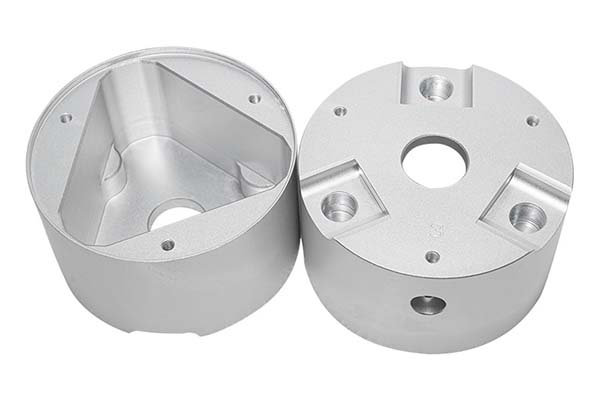
Creating a physical version of your favorite anime character is a rewarding challenge. An anime prototype is a detailed, high-quality model that captures the look and feel of a character from a show, game, or movie. Unlike a simple 3D print, this process focuses on artistic accuracy—getting the facial expression right, the clothing folds perfect, and the colors exact.
Key takeaways
- Before you touch any software or printer, you need a clear plan. This stage prevents mistakes that are hard to fix later.
- This is where you build the digital model. It’s the most skill-intensive part of the process.
- Printing takes time. Post-processing is where the model starts to look good.
- Making an anime prototype is a journey that blends technical skill with artistic vision.
1. Preliminary Preparation: How Do You Lay the Foundation for Accuracy?
Before you touch any software or printer, you need a clear plan. This stage prevents mistakes that are hard to fix later.
How Do You Define the Core Requirements?
First, decide exactly what you are making. Use a simple checklist.
- Prototype form: What pose will the character be in? Standing, fighting, or sitting? For a Tanjiro prototype from Demon Slayer, you might choose a fighting stance holding his sword.
- Size and scale: What scale will you use? Common scales for collectibles are 1:7 (around 20-25cm tall) or 1:8. A 1:7 scale Tanjiro would be about 22cm tall.
- Purpose: Is it just for display? Or do you want movable joints to change the pose? This affects how you design the internal structure.
What References Should You Gather?
You cannot rely on memory. You need exact references.
- Official sources: Find anime stills and official character “setting sheets.” These show the character from multiple angles and often include details like clothing patterns and weapon dimensions.
- Supporting materials: Look at official posters and art books.
- Organize your files: Create a folder on your computer with subfolders like “Face Details,” “Clothing Textures,” and “Sword Patterns.” This saves you from searching for a reference later.
2. 3D Modeling: How Do You Turn 2D Art into a 3D Form?
This is where you build the digital model. It’s the most skill-intensive part of the process.
Which Software Should You Use?
Different tools are good for different tasks.
| Software | Key Strengths | Best For | Skill Level |
|---|---|---|---|
| ZBrush | Excellent for sculpting fine details like hair strands and wrinkles. | Character faces, detailed textures on clothing. | Intermediate to Advanced |
| Blender | Free and powerful. Good for both modeling and rendering. | Full character models, simple props. Great for learning. | Beginner to Advanced |
| Maya / 3ds Max | Strong tools for creating complex structures and moving parts. | Models with internal joints, robot armor, or intricate props. | Advanced |
What Are the Best Practices for Modeling an Anime Character?
Follow these rules to make a model that prints well.
- Control the proportions: Use the scale rulers in your software. In a 1:7 scale model, the character’s head should be about 3cm tall to look correct.
- Add the details: In ZBrush, use “Alpha Brushes” to stamp fabric textures onto the clothing. This adds realism.
- Split the model into parts: Don’t model the character as one solid piece. Split it into a head, torso, arms, legs, and accessories like a sword. This makes sanding and painting much easier. Leave a tiny 0.1-0.2mm gap between parts so they fit together tightly after printing.
3. 3D Printing Preparation: How Do You Set Up for Success?
Now you need to prepare your digital model for the printer.
What Slicing Parameters Should You Use?
“Slicing” software like Cura converts your 3D model into instructions for the printer.
| Parameter | Recommended Setting | Why It Matters |
|---|---|---|
| Layer Height | 0.1mm for detailed parts (face), 0.2mm for larger parts (torso). | Thinner layers capture fine details like eye pupils. Thicker layers print faster. |
| Infill Density | 20-30% | This makes the model strong enough to handle without being too heavy or using too much material. A hollow sword handle would be weak. |
| Support Structure | 40-60% density | Supports are needed for overhanging parts like outstretched arms or floating hair. They are removed after printing. |
| Printing Speed | 40-60 mm/s | Slower speeds (40mm/s) give better quality for small, delicate parts like fingers. |
Which Material Should You Choose?
Your choice affects the final quality.
- PLA: The most common and easiest material to print. It has a matte finish and is great for beginners and larger parts. It’s a good choice for a character’s body or large props.
- Resin: Used in SLA printers. It’s much more expensive but captures incredibly fine details. The surface is smooth right out of the printer. This is the best choice for faces and small details.
- Specialty resins: You can get translucent resins for parts that should glow, like a magical effect or a character’s eyes.
4. 3D Printing and Post-Processing: How Do You Refine the Model?
Printing takes time. Post-processing is where the model starts to look good.
What Should You Watch for During Printing?
- Level the bed: Make sure the printer’s build plate is perfectly level. If it’s not, the first layer won’t stick, and the print will fail, especially for small parts like feet.
- Control temperature: For PLA, the print head should be between 190-230°C. For resin, the printed part needs to be washed in alcohol and then cured under a UV light for a few minutes.
What Are the Key Post-Processing Steps?
- Remove supports: Use tweezers or small pliers to carefully snap off the support structures. Be gentle around delicate areas like hair.
- Sand everything: This is the most important step for a smooth finish. Start with coarse sandpaper (100-200 grit) to remove obvious layer lines and support marks. Move to medium grit (400-600 grit) to smooth the surface. Finish with fine grit (1000-1500 grit) to make it feel smooth to the touch.
- Fill gaps: If you see small cracks between parts you glued together, fill them with modeling putty. Let it dry, then sand it smooth.
5. Painting and Assembly: How Do You Bring the Prototype to Life?
This stage adds color and makes the character recognizable.
What Is the Correct Coloring Process?
Follow a layered approach for a professional finish.
- Apply primer: Spray the whole model with a thin coat of gray or white primer. This helps the paint stick and reveals any small scratches you missed during sanding.
- Base colors: Use an airbrush or hand brushes to apply the main colors. For Tanjiro, this means painting his green and black checkered haori (jacket). Try to match the official colors exactly. You can use color codes like Pantone 362C for that specific green.
- Detail painting: Use fine brushes or 0.3mm fine-tip markers for small areas like the eyes, mouth, and patterns on the sword. Add shadows to clothing folds using slightly darker shades of the base color.
- Protect with varnish: Once the paint is dry, spray the model with a clear varnish. Use matte varnish for skin and cloth to reduce shine, and semi-gloss varnish for weapons and eyes to make them look slightly wet and reflective.
How Do You Assemble and Add Final Details?
- Glue carefully: Use instant glue (cyanoacrylate) for small parts like fingers. Use a slower-setting epoxy (AB glue) for large joints like attaching the torso to the legs.
- Add extra details: Apply water-slide decals for complex patterns, like the “Water Breathing” lettering on Tanjiro’s sword. You can also add a tiny dot of white paint to the eyes to create a highlight, making them look alive.
How to write a spec that gets priced correctly
A drawing is a contract. If it leaves a number open, the shop fills that number in with its own default. The default is rarely the one you had in mind. Put these five lines on every RFQ and most of the back-and-forth disappears before it starts.
- A model you are willing to freeze for the build
- The question the prototype must answer
- Process and material that can answer it
- Tolerance on the features under test
- How many iterations you have budgeted
The point is not paperwork. Each line removes a decision the shop would otherwise make for you. A complete RFQ comes back priced. An incomplete one comes back guessed.
What actually drives the price
Buyers usually push on material because it is the line they can see. In practice the material is rarely the biggest number on a quote. These five lines decide most of it:
- process choice
- part size and feature count
- material
- finish and fit checks
- number of iterations
Ask for the quote split by line. A supplier who cannot break it down is guessing, and you will pay for the guess. The line you can usually renegotiate is the tolerance band, not the raw material.
Problems you will meet, and the fix
Every process has a failure mode it prefers. The same four show up again and again on this kind of work, and none of them are mysteries once you know what to look for.
- A prototype that is too good and hides a production problem
- A prototype that is too rough to test the real question
- Material chosen for speed rather than for the test
- No measurement plan, so the result is an opinion
Catch the fault on the first part, not the hundredth. A first-article check costs an hour. A bad batch costs the whole order. Write the check into the purchase order so nobody has to remember it.
What to check on the first article
The first article is the cheapest inspection you will ever buy. Use it properly and the rest of the run becomes boring, which is exactly what you want.
- Every dimension on the drawing, with the measured value written beside it.
- The material certificate, matched to the heat or lot number on the parts.
- The finish against the sample you approved, under the same light.
- Fit against the mating part, assembled rather than measured.
- Packaging, because parts that arrive damaged were never in tolerance.
Check in this order: datums, then mating features, then cosmetic faces. If the datums are wrong, every number after them is noise. Keep the report on file. When a problem shows up in month six, that document is the only thing that tells you what changed.
How to compare two quotes fairly
Two numbers are not comparable unless the scope matches. Line them up before you decide, because a low number with three gaps is not a low number.
Same drawing, same material, same finish, same inspection. Anything else is a different job wearing the same part number. Then look at what each quote leaves out. Freight, packaging, certificates and tooling are the usual gaps.
Ask each supplier to state their assumptions in writing. The one who does is usually the one who has run the process before.
Scaling from one part to a batch
The first part teaches you the process. The hundredth teaches you the process cost.
Watch three things as volume grows: setup amortisation, tool wear, and how much hand work the finish still needs. If the unit price barely moves between ten and a hundred, the cost sits in material or in hand work, not in setup. Ask which, because only one of them is negotiable.
Lead time behaves the same way. A one-off is scheduled around other jobs. A repeat order is scheduled around your forecast. Give the shop a forecast and the lead time gets shorter, not longer.
How to read a supplier's quote
A quote is a short document with a long shadow. Four things in it decide whether the job runs smoothly, and only one of them is the price.
- The scope line. It should name the process, the material and the finish, not just the part.
- The tolerance basis. General tolerance or the drawing, and which standard it follows.
- The exclusions. Tooling, freight, certificates and inspection are the usual omissions.
- The validity date. Material prices move, and an open-ended quote is a promise nobody can keep.
Read the exclusions before you read the total. A quote that leaves out tooling is not cheaper. It is a quote for a different job.
What to send with the first order
The first order sets the pattern for every order after it. Send a complete package once and the shop files it, and the second order takes a fraction of the time.
- A STEP or native model plus a PDF drawing carrying the same revision letter.
- The material callout by standard number, not by trade name.
- The finish and the exact faces it applies to.
- Any test the part must pass: fit, seal, drop, salt spray, dielectric.
- A contact who can answer a question inside one working day.
Then write down what was agreed. An email that confirms the material, the finish and the date is worth more than a longer purchase order that leaves them open.
When this is the wrong choice
A good supplier tells you when the process does not fit. These are the cases where we say so.
- The volume is so low that setup costs more than the parts are worth.
- The tolerance is tighter than the process can hold without a second operation.
- The geometry cannot be made without a tool feature that will not pay back.
- The material you need is not available in the form the process requires.
- The schedule is shorter than the tooling or setup time, and nobody has said so yet.
None of these are refusals. They are reasons to look at a different route, and the earlier that conversation happens the cheaper it is. The most expensive mistake in manufacturing is a process chosen before the question was understood.
6. Finished Product Acceptance: How Do You Know It’s Right?
Before you call it done, do a final check.
- Check accuracy: Compare your prototype to your reference images. Does the face look like the character? Are the colors right?
- Test function: If you designed movable joints, gently move them. Do they work without being too loose or too tight?
- Inspect surface quality: Look closely under good light. Are there any sanding scratches showing through the paint? Any dust specks or paint drips?
Making an anime prototype is a journey that blends technical skill with artistic vision. It starts with careful planning and gathering the right references. You then build a digital model in software like ZBrush or Blender, paying close attention to proportions and splitting the model into parts. Preparing the file for printing with the right layer height and support settings is critical for success. After printing, the real work begins with sanding, filling, and smoothing. Finally, the model comes to life through a careful process of priming, painting, and assembly. While it takes time and patience, the result is a unique, high-quality collectible that captures the spirit of the character you love.
Our solution for Step-by-Step Process
YiguProto runs rapid prototyping in house, from a single prototype to a production batch. We quote the process, the material and the finish as separate lines, so you can see where the money goes instead of arguing with one number.
Send a STEP file or a drawing and you get a DFM report in one to two business days. It flags the features that add cost and the features that will not hold tolerance on the process you picked.
Every order ships with an inspection report on the features you call out. If a part misses, we make it again. Ready to price a part? Start with a free quote and DFM review, or read more about our rapid prototyping. You can also talk to an engineer before you commit to a drawing.
FAQ about Step-by-Step Process
What is Step-by-Step Process used for?
Step-by-Step Process turns up wherever the part has to do a real job at a predictable cost: brackets, housings, fixtures, covers and the fittings that hold them together. The honest test is whether the properties match the load and the environment, not whether the material is fashionable.
How long does a first article take?
Usually a few business days once the drawing is frozen, and longer if tooling is involved. The date we give you is the date we confirm in writing, not the date we hope for.
What material should I specify?
Specify by standard, not by trade name. A trade name can change under you between two orders; a standard number cannot. Then add the one property that actually decides the part, whether that is strength, heat resistance or chemical exposure.
What should I check before approving the parts?
Datums first, then the features that mate, then the cosmetic faces. Ask for a dimensional report, a material certificate and a finish sample. A part can be inside every tolerance and still not fit, so assemble one before you sign.
What files do you need in order to quote?
A STEP file plus a PDF drawing that carries the same revision letter. The model carries the geometry and the drawing carries the intent. When the two disagree, the shop picks one, and it is never the one you meant.
Does the process work for prototypes as well as production?
Yes, and that is usually the point. Running the prototype on the production process removes a whole class of surprises, because the part you test is made the same way as the part you sell.
The short version
Step-by-Step Process rewards the buyer who reads the data sheet and the drawing together. Pick the option for the property that matters, not for the price per kilo.
Tighten only what mates. Test a sample before the run. Then let the process do the rest.